24 │ About your monitor
E2722HS
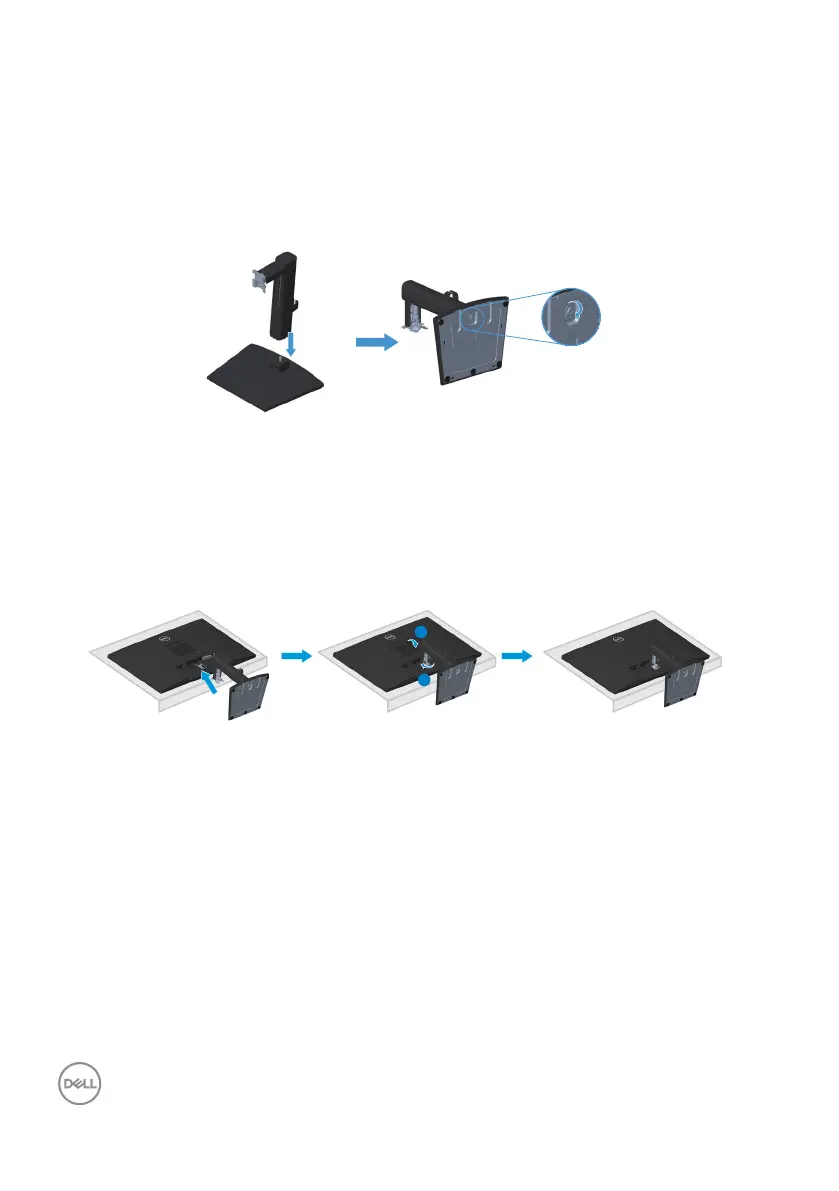
1. Assemble the stand riser to stand base.
a. Place the monitor stand base on a stable table top.
b. Slide the monitor stand body in the correct direction down onto the stand
base.
c. Tighten thumbscrew clockwise till it’s securely fastened.
2. Attach the stand assembly to the monitor.
a. Place the monitor on a soft cloth or cushion near the edge of desk.
b. Align the stand assembly bracket to the monitor groove.
c. Insert the bracket fully towards monitor.
d. Tighten thumbscrew clockwise till it’s securely fastened.
e. Attach VESA cover.


 To Next Page