PS4210 Hardware Owner's Manual
2 Maintaining Drives
Installing a 3.5-inch Drive
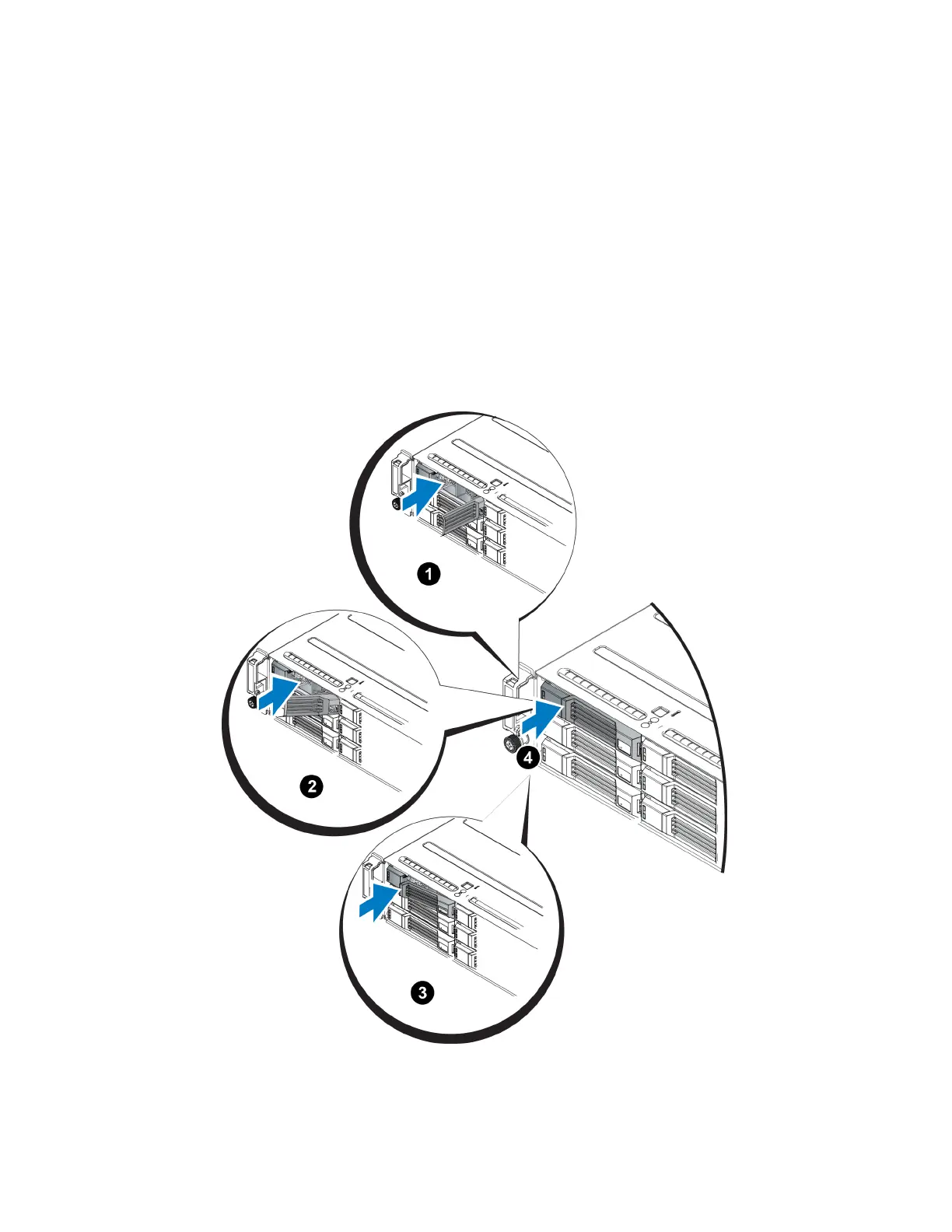
The 3.5-inch drives are installed horizontally, with the drive release latch to the left and the drive label to the
right.
1. Wear electrostatic protection when handling a drive. See Protecting Hardware on page 1.
2. Open the drive release latch.
3. Hold the drive by the carrier and slide the drive most of the way into a slot (callout 1 in Figure 11).
4. Push the drive completely into the slot (callout 2). The drive handle will begin to close onto the drive (callout
3).
5. Push in the handle until you hear a click (callout 4).
Figure 11: Installing a 3.5-inch Drive
13


 To Next Page