For example, when you install a drive, the timer starts. If you install another drive before 2 min-
utes have elapsed, the timer is restarted. If no other drives are installed, the drive is configured
after a delay of 2 minutes.
• If you install a drive during RAID reconstruction or verification, the new drive will not be
configured until the operation completes.
Removing a 2.5-inch Drive
1. Remove the bezel. See Removing the Bezel on page 2.
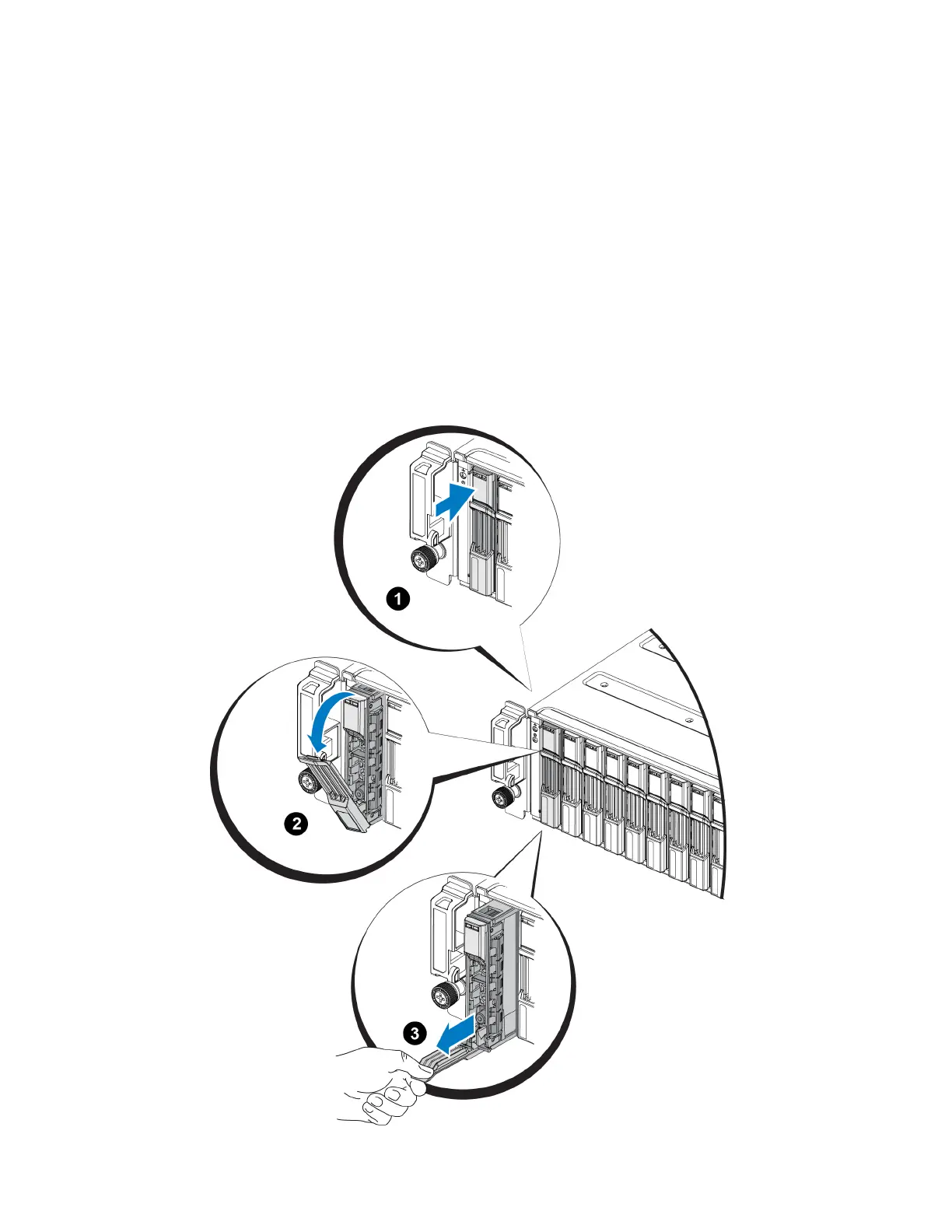
2. Press the release button (callout 1 in Figure 10). The drive latch opens and the drive emerges
partway from the array (callout 2).
3. Pull the drive out by the handle until it is free of the drive bay (callout 3).
Figure 10: Removing a 2.5-Inch Drive
10
PS6210 Hardware Owner's Manual 2 Maintaining Drives


 To Next Page