Operating your monitor │ 45
Icon Menu and
submenus
Description
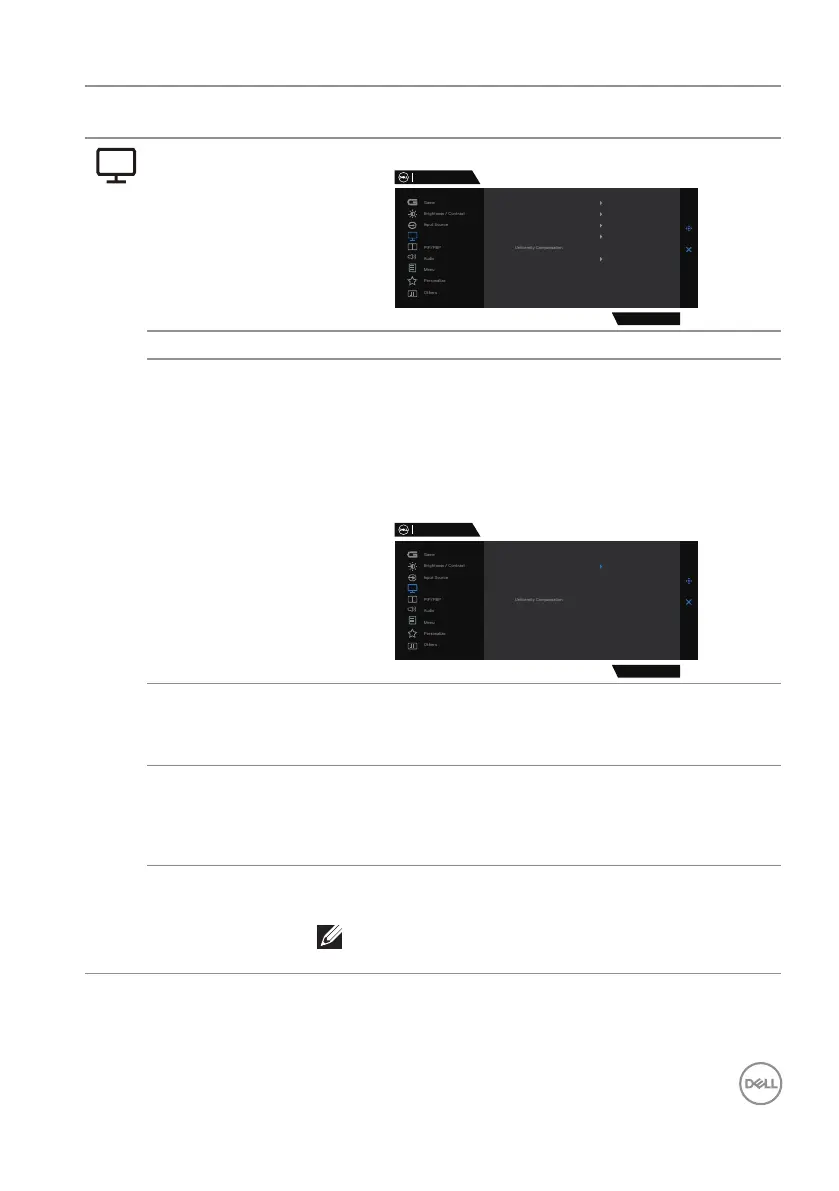
Display Uses the display to adjust image.
Dell 32 Gaming Monitor
Display
G3223D
Aspect Ratio 16:9
Input Color Format
Sharpness
Smart HDR
USB-C Prioritization
Reset Display
RGB
50
Desktop
High Resolution
Aspect Ratio Adjusts the image ratio to 16:9, Auto Resize, 4:3.
Input Color
Format
Enables you to set the video input mode to:
∞ RGB: Selects this option if your monitor is
connected to a computer (or media player) using
the DisplayPort or HDMI cable.
∞ YCbCr: Selects this option if your media player
supports only YCbCr output.
Dell 32 Gaming Monitor
Display
G3223D
Aspect Ratio
Input Color Format
Sharpness
Smart HDR
USB-C Prioritization
Reset Display
RGB
YCbCr
Sharpness Makes the image look sharper or softer.
Moves the joystick button up and down to adjust the
sharpness from ‘0’ to ‘100’.
USB-C
Prioritization
Enables you to specify the priority to transfer the data
with high resolution (High Resolution) or high speed
(High Data Speed) when using the USB-C port. For
more information, see USB-C Prioritization.
Uniformity
Compensation
Enables you to set Uniformity Compensation to On
or Off.
NOTE: Vision Engine must be off for
Uniformity Compensation to work.



 To Next Page