EasyManua.ls Logo

Dell IN2030M - Using the On-Screen Display (OSD) Menu

Dell IN2030M
41 pages
Print Icon
To Next Page IconTo Next Page
To Previous Page IconTo Previous Page
Loading...
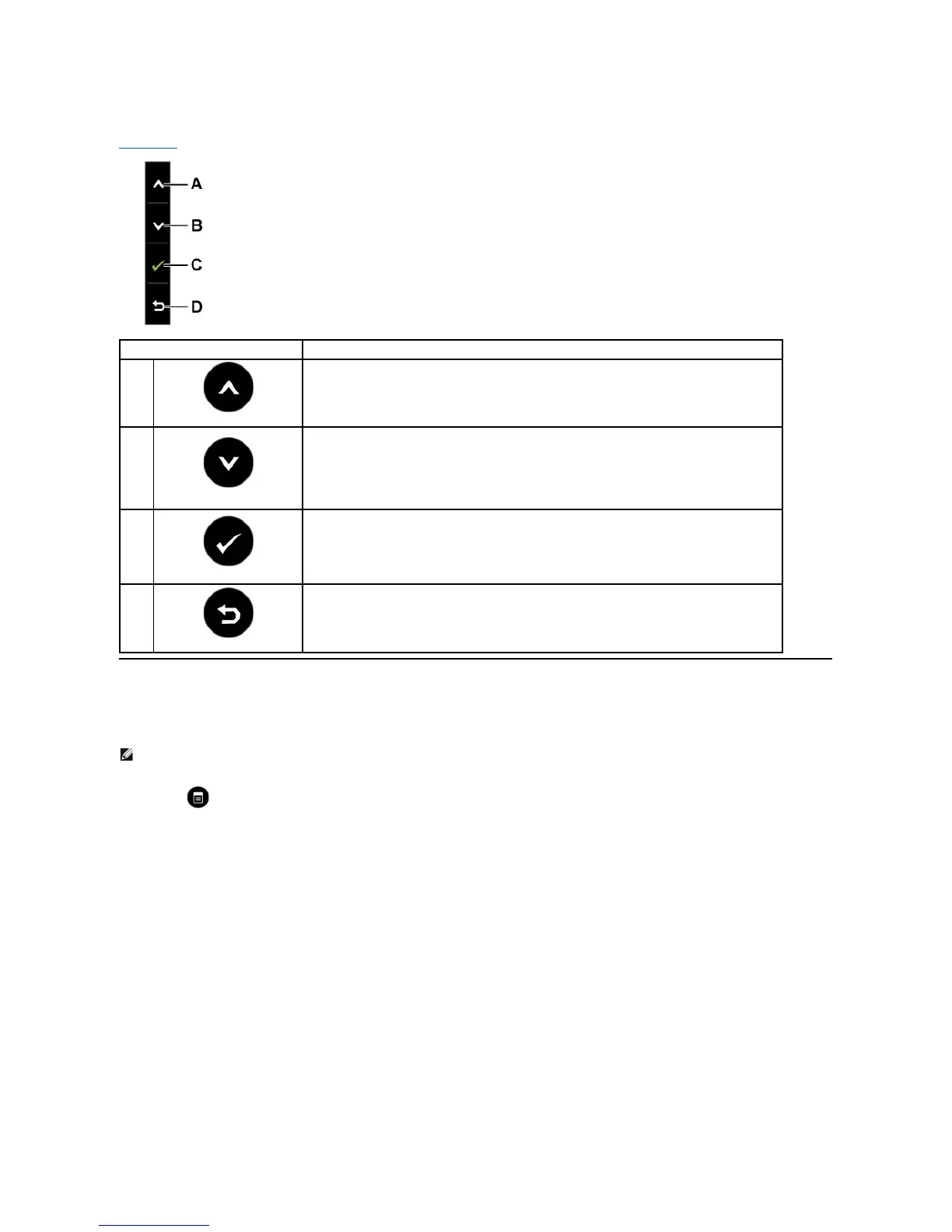
Front panel Key
Use the keysonthefrontofthemonitortoadjusttheimagesettings.

Using the On-Screen Display (OSD) Menu
Accessing the Menu System
Front panel Key
Description
A
Up
Use the Up key to adjust (increase ranges) items in the OSD menu.
B
Down
Use the Down key to adjust (decrease ranges) items in the OSD menu.
C
OK

Use the OK key to confirm your selection.
D
Back
Use the Back key to go back to the previous menu.
NOTE: IfyouchangethesettingsandtheneitherproceedtoanothermenuorexittheOSDmenu,themonitorautomaticallysavesthosechanges.The
changes are also saved if you change the settings and then wait for the OSD menu to disappear.
1.
Press the button to open the OSD menu and display the main menu.
Main Menu

Other manuals for Dell IN2030M

Related product manuals