EasyManua.ls Logo

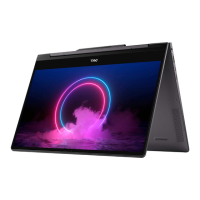
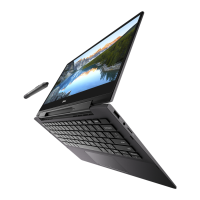
Dell Inspiron 7590 2in1 - User Manual

Dell Inspiron 7590 2in1
106 pages
Print Icon
To Next Page IconTo Next Page
Loading...
Inspiron 7590 2in1
Service Manual
Regulatory Model: P84F
Regulatory Type: P84F001
July 2021
Rev. A03

Table of Contents

Questions and Answers

  • E
    Elaine CastilloAug 7, 2025
    What to do if Dell Inspiron 7590 2in1 Laptop battery is swollen?
    • K
      kelly60Aug 8, 2025
      If you notice a swollen battery in your Dell Laptop, immediately stop using the laptop. Disconnect the AC adapter and allow the battery to fully drain to prevent further damage to the device or its internal components. It is important to replace the swollen battery and dispose of the old one correctly. Contact Dell product support to explore options for replacing the battery under your warranty or service contract.

Dell Inspiron 7590 2in1 Specifications

General IconGeneral
Display Size15.6 inches
Operating SystemWindows 10 Home
Webcam720p HD
AudioStereo speakers with Waves MaxxAudio Pro
ModelDell Inspiron 7590 2-in-1
Display TypeIPS
ProcessorIntel Core i5 / i7
RAM16GB DDR4
Storage512GB SSD
GraphicsIntel UHD Graphics
PortsHDMI, SD card reader, headphone/microphone combo
Wireless802.11ac Wi-Fi, Bluetooth

Related product manuals