Update the Windows Vista driver
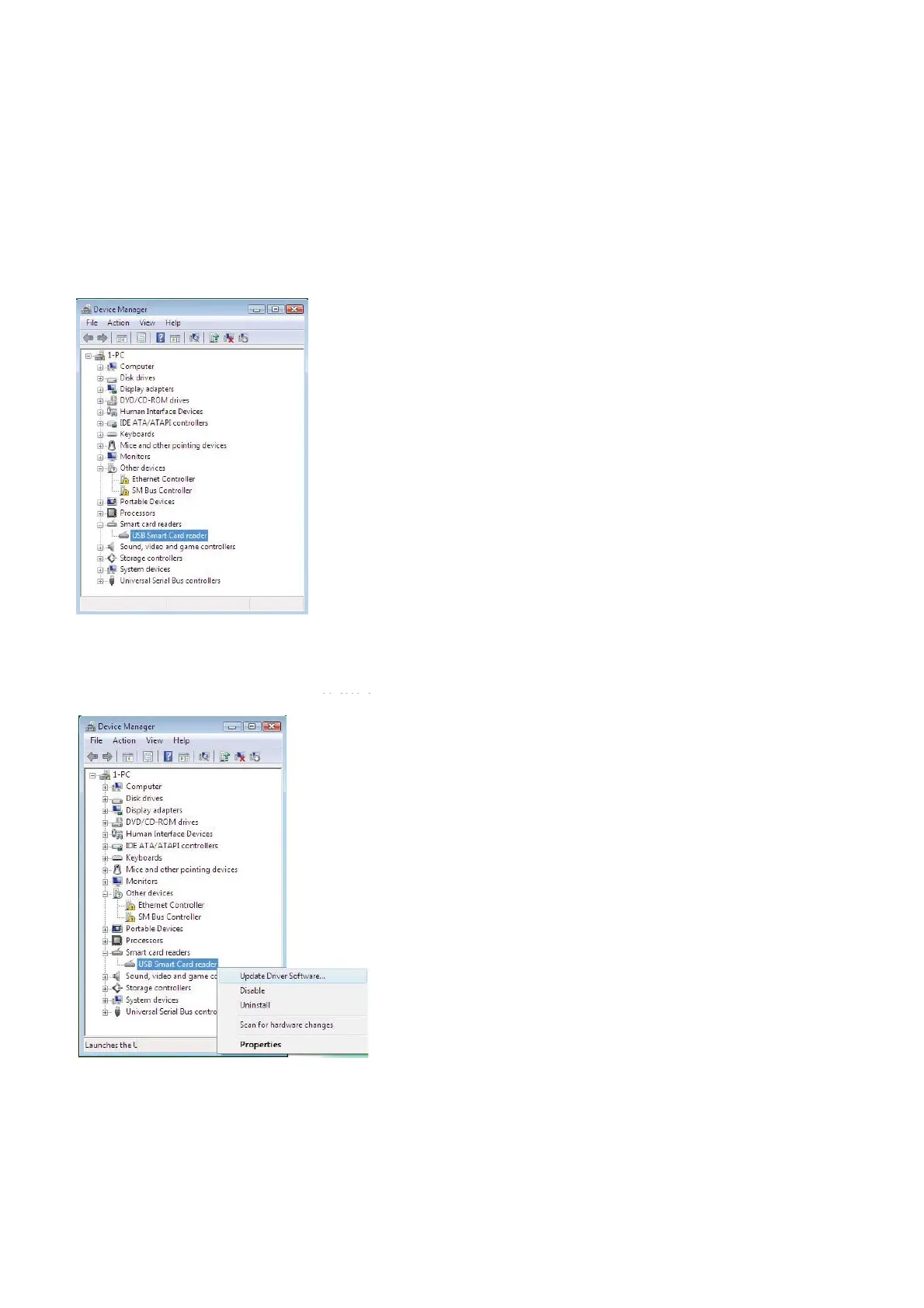
5. Select Smart Card readers.
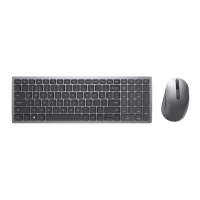
6. Right click on USB
Smart Card reader.
follows:
6. Right click on USB
Smar
TThe display shows as he display shows as
follow
Back to Contents Page
Install the Keyboard | Install the Windows XP driver | Install the Vista driver
Install the Windows 7 driver | Install the Windows 8 driver
Install the Windows 10 driver
Update the Windows XP driver | Update the Vista driver
Update the Windows 7 driver | Update the Windows 8 driver
Update the Windows 10 driver



 To Next Page