Back to Contents Page
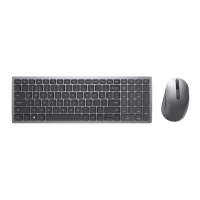
6. Select Update Driver, then the following window will appear:
Install the Keyboard | Install the Windows XP driver | Install the Vista driver
Install the Windows 7 driver | Install the Windows 8 driver
Install the Windows 10 driver
Update the Windows XP driver | Update the Vista driver
Update the Windows 7 driver | Update the Windows 8 driver
Update the Windows 10 driver
Update the Windows 10 driver
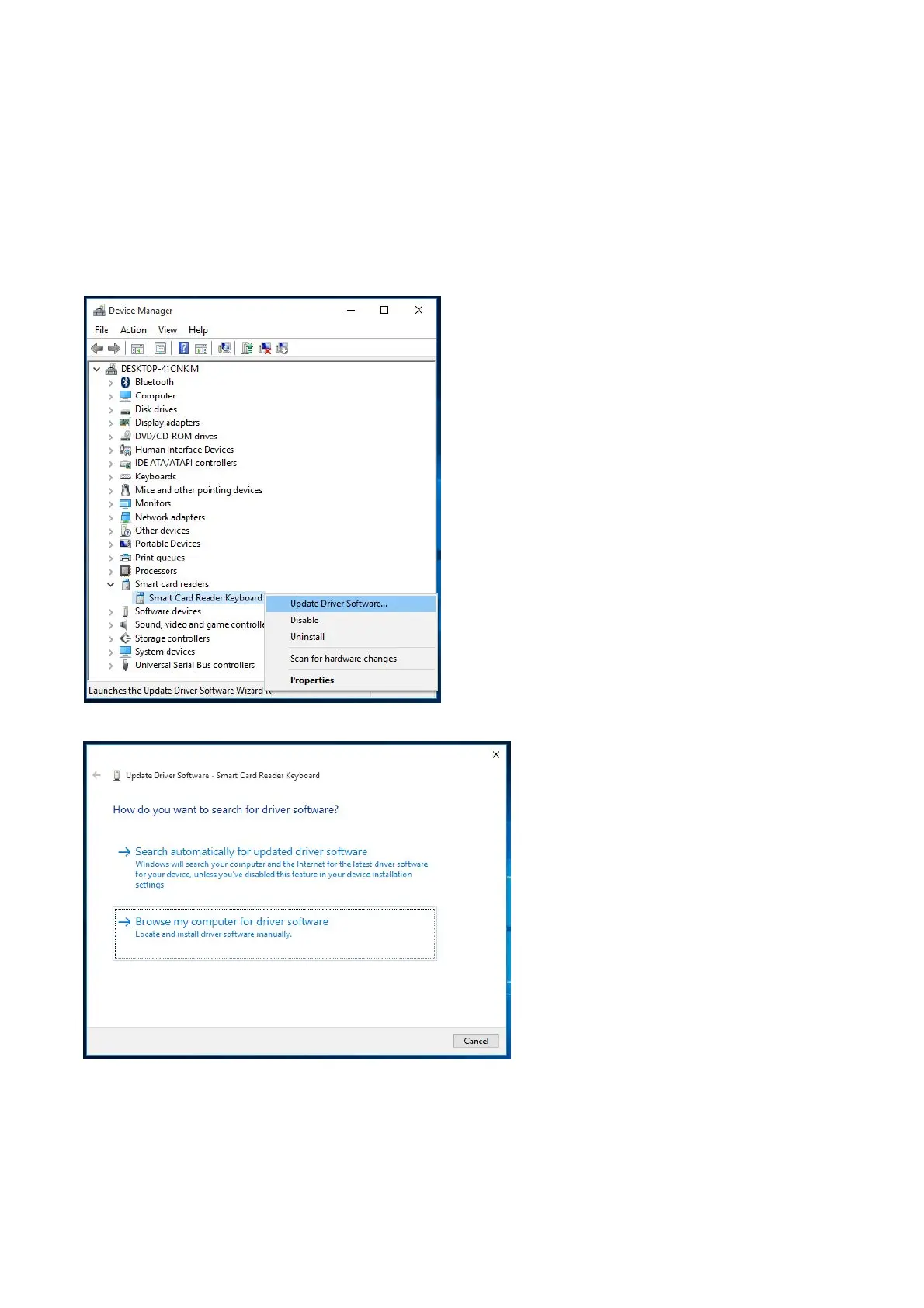
5. Select Smart card readers and right click on
the device. The device shows
the device. The device shows as follows:
as follows:



 To Next Page