
 Need help?
Do you have a question about the Dell KM713 and is the answer not in the manual?
Information disclaimer, liability limitations, and statement claims.
Details US export control laws applicable to the product.
Lists the necessary hardware and software for setup.
Details the items included in the product package.
Step-by-step instructions for installing batteries in the keyboard and mouse.
Instructions on connecting the USB receiver to the computer.
Identifies and explains keyboard features like battery status light and multimedia keys.
Details back view components, power switch, battery compartment and multimedia controls.
Explains media playback controls and hot key functions.
Lists combinations of application and Windows keys and their functions.
Describes the on-screen indicator for Caps Lock status.
Provides common solutions for issues with the wireless keyboard.
Lists general, electrical, operating voltage, battery life, and physical characteristics.
Details environmental operating conditions and wireless capabilities.
Identifies and explains mouse features like buttons, scroll wheel, and battery light.
Details back view components, power switch, and optical sensor.
Provides common solutions for issues with the wireless mouse.
Lists general, electrical, operating voltage, battery life, and physical characteristics.
Details environmental operating conditions and wireless capabilities.
Explains the standard warranty and terms for different customer regions.
Explains FCC rules, interference guidelines, and user corrective measures.
Lists various international agency approvals for the product.
Explains WHQL testing and its assurance of OS compatibility for the hardware.
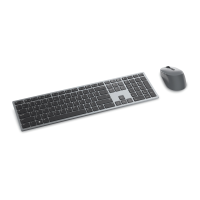
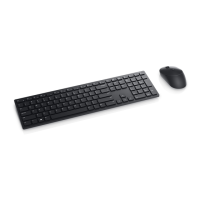
The Dell KM713 Wireless Keyboard & Mouse is a peripheral set designed for use with computers, offering wireless connectivity and a range of features to enhance user interaction. This owner's manual provides comprehensive instructions for setting up, using, and troubleshooting the device.
The Dell KM713 set comprises a wireless keyboard and a wireless mouse, both connecting to a computer via a single USB receiver. This wireless functionality allows for a clutter-free workspace and increased flexibility in device placement. The keyboard is designed for typing and includes standard alphanumeric keys, function keys, and a numeric keypad. The mouse provides point-and-click functionality, enabling navigation and interaction with graphical user interfaces. Both devices are compatible with Microsoft Windows operating systems (7/Vista/XP, Media Center Edition) and Linux Ubuntu, ensuring broad usability across different computing environments.
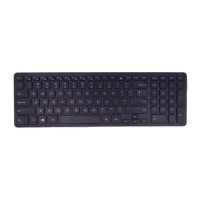
The keyboard features a standard layout with several dedicated keys and multimedia functions.
The mouse offers essential navigation and interaction features.
The Dell KM713 Wireless Keyboard & Mouse is designed for straightforward maintenance, primarily focusing on battery replacement and connection troubleshooting.
The Dell KM713 Wireless Keyboard & Mouse set is designed for ease of use and reliable performance, with clear instructions for setup, operation, and basic maintenance to ensure a smooth user experience.
 General
| Type | Keyboard and mouse combo |
|---|---|
| Connectivity | Wireless |
| Mouse Type | Optical |
| Color | Black |
| Mouse Buttons | 3 |
| Mouse DPI | 1000 |
| Power Source | Battery |
| Wireless Technology | 2.4GHz RF |
| Keyboard Language | English |
| Compatibility | Windows |






 To Next Page