EasyManua.ls Logo

Dell Pro Wireless KM5221W - User Manual

Dell Pro Wireless KM5221W
23 pages
Print Icon
To Next Page IconTo Next Page
Loading...
Keyboard model: KB3121W
Mouse model: MS3121W
Regulatory model: KB3121Wt/MS3121Wt/SD-8160
Regulatory model: KB3121Wp/MS3121Wp/DGRFEO
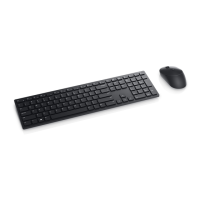
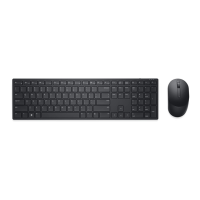
Dell Pro Wireless
Keyboard and Mouse
KM5221W
User’s Guide
Question and Answer IconNeed help?

Do you have a question about the Dell Pro Wireless KM5221W and is the answer not in the manual?

Summary

Statutory Information

Warranty Policies

Details the limited warranty and return policies applicable to Dell products, including customer-specific terms.

Whats in the box

Product Features

Keyboard Overview

Details the top and bottom views of the keyboard, including power switch, battery cover, and feet.

Mouse Overview

Details the top and bottom views of the mouse, including buttons, scroll wheel, sensor, and power switch.

Dell Peripheral Manager

Setting up your wireless keyboard

Setting up your wireless mouse

Pairing your wireless keyboard and mouse

Pairing with a USB receiver

Instructions on how to connect the keyboard and mouse to a device using the USB receiver.

Keyboard Specifications

Keyboard General and Electrical Specs

Covers model, connection type, system requirements, operating voltage, and battery type for the keyboard.

Keyboard Physical and Environmental Specs

Details keyboard weight, dimensions, and environmental operating conditions.

Keyboard Wireless Performance

Specifies RF resolution, channels, and operation distance for wireless connectivity.

Mouse Specifications

Mouse General and Electrical Specs

Provides model, connection type, system requirements, operating voltage, and battery type for the mouse.

Mouse Physical and Environmental Specs

Details mouse weight, dimensions, and environmental operating conditions.

Mouse Wireless Performance

Specifies RF resolution, channels, and operation distance for wireless connectivity.

Troubleshooting

Keyboard;Mouse Not Functioning

Provides solutions for issues where the keyboard or mouse is unresponsive, including battery checks.

Pairing and Connection Issues

Offers troubleshooting steps for pairing problems, wireless connection loss, and USB receiver issues.

Mouse Cursor and Button Issues

Addresses problems with mouse pointer movement, button functionality, and cursor speed adjustments.

Statutory Information

Warranty Information

Details the limited warranty, return policies, and region-specific terms for U.S., European, Middle Eastern, African, and other customers.

Summary

Statutory Information

Warranty Policies

Details the limited warranty and return policies applicable to Dell products, including customer-specific terms.

Whats in the box

Product Features

Keyboard Overview

Details the top and bottom views of the keyboard, including power switch, battery cover, and feet.

Mouse Overview

Details the top and bottom views of the mouse, including buttons, scroll wheel, sensor, and power switch.

Dell Peripheral Manager

Setting up your wireless keyboard

Setting up your wireless mouse

Pairing your wireless keyboard and mouse

Pairing with a USB receiver

Instructions on how to connect the keyboard and mouse to a device using the USB receiver.

Keyboard Specifications

Keyboard General and Electrical Specs

Covers model, connection type, system requirements, operating voltage, and battery type for the keyboard.

Keyboard Physical and Environmental Specs

Details keyboard weight, dimensions, and environmental operating conditions.

Keyboard Wireless Performance

Specifies RF resolution, channels, and operation distance for wireless connectivity.

Mouse Specifications

Mouse General and Electrical Specs

Provides model, connection type, system requirements, operating voltage, and battery type for the mouse.

Mouse Physical and Environmental Specs

Details mouse weight, dimensions, and environmental operating conditions.

Mouse Wireless Performance

Specifies RF resolution, channels, and operation distance for wireless connectivity.

Troubleshooting

Keyboard;Mouse Not Functioning

Provides solutions for issues where the keyboard or mouse is unresponsive, including battery checks.

Pairing and Connection Issues

Offers troubleshooting steps for pairing problems, wireless connection loss, and USB receiver issues.

Mouse Cursor and Button Issues

Addresses problems with mouse pointer movement, button functionality, and cursor speed adjustments.

Statutory Information

Warranty Information

Details the limited warranty, return policies, and region-specific terms for U.S., European, Middle Eastern, African, and other customers.

Dell Pro Wireless KM5221W Specifications

General IconGeneral
TypeKeyboard and mouse combo
Keyboard LayoutQWERTY
Connectivity2.4GHz Wireless
ColorBlack
Mouse TypeOptical
Mouse Buttons3
Mouse DPI1000
Battery Life (Keyboard)Up to 36 months
Battery TypeAA for Mouse
CompatibilityWindows, macOS, Linux
Wireless Range10 meters
Keyboard Featuresmultimedia keys

Related product manuals