EasyManua.ls Logo

Dell Laser Printer 1110 - Page 41

Dell Laser Printer 1110
47 pages
Print Icon
To Next Page IconTo Next Page
To Previous Page IconTo Previous Page
Loading...
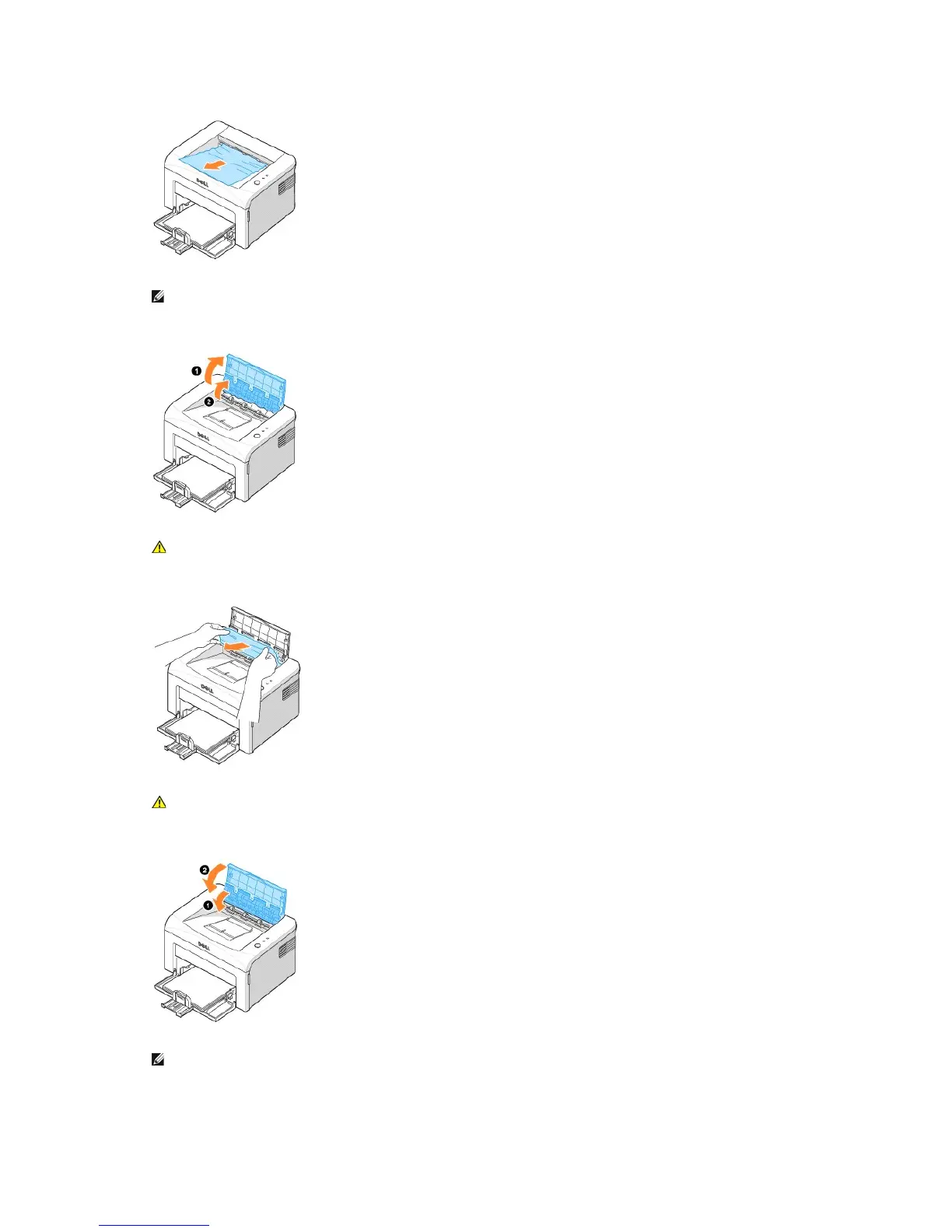
2. If you cannot see the paper in the output tray or the paper does not move when pulled, stop pulling and open the top cover and the inner cover.
3. Loosen the paper if it is caught in the heat roller. Then remove the paper by gently pulling it out.
4. Close the inner cover(1) and the top cover(2). Printing resumes automatically.
NOTE: Failed pages will not reprint. Reprint the failed pages.
CAUTION: The top and inner cover themselves may also be hot due to the heat roller(located underneath the inner cover). Allow the printer
to cool before opening the covers.
CAUTION:When removing jammed paper, be careful not to touch the heat roller (located underneath the inner cover). It is hot and could
cause burns!
NOTE: Failed pages will not reprint. Reprint the failed pages.

Table of Contents

Related product manuals