EasyManua.ls Logo

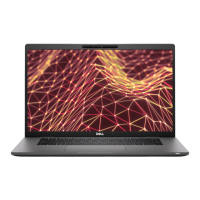
Dell Latitude 7530 - User Manual

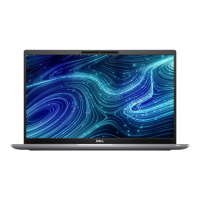
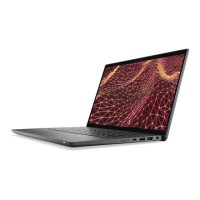
Dell Latitude 7530
111 pages
Print Icon
To Next Page IconTo Next Page
Loading...
Latitude 7530
Service Manual
Regulatory Model: P110F
Regulatory Type: P110F002
April 2022
Rev. A00

Table of Contents

Questions and Answers

  • G
    Gary AdamsAug 18, 2025
    What to do if system board failure (BIOS corruption/ROM error) occurs on Dell Latitude 7530 Laptop?
    • L
      Loretta BrennanAug 18, 2025
      If your Dell Laptop system board has failed, which includes BIOS corruption or a ROM error, first flash the latest BIOS version. If the problem continues, the system board should be replaced.
  • D
    Dr. Brenda FrazierAug 20, 2025
    How to fix memory/RAM failure on Dell Laptop?
    • S
      Scott BartlettAug 20, 2025
      If your Dell Laptop is experiencing memory or RAM failure, try resetting and swapping the memory modules among the slots. If the problem persists, you should replace the memory module.
  • L
    Lori StuartAug 23, 2025
    How to fix BIOS Recovery image not found on Dell Latitude 7530 Laptop?
    • C
      cannonstephanieAug 23, 2025
      If your Dell Laptop has a BIOS Recovery image that is not found, flash the latest BIOS version. If the problem continues, replace the system board.
  • J
    John CameronAug 26, 2025
    What to do if BIOS Recovery image found but invalid on Dell Latitude 7530 Laptop?
    • J
      Jacob WrightAug 26, 2025
      If the BIOS Recovery image found on your Dell Laptop is invalid, flash the latest BIOS version. If the problem persists, replace the system board.
  • M
    Mary FosterAug 28, 2025
    What to do if LCD failure indicated by error code [2,8] on Dell Latitude 7530 Laptop?
    • M
      Michele RussellAug 28, 2025
      If your Dell Laptop indicates LCD failure with error code [2,8] due to a failure on the LCD power rail of the system board, which means no power is supplied to the LCD, replace the system board.
  • X
    Xavier GalvanAug 31, 2025
    How to resolve invalid memory installed on a Dell Laptop?
    • P
      Paula DunnAug 31, 2025
      If your Dell Laptop has an invalid memory installed, reset and swap the memory modules among the slots. If the problem persists, replace the memory module.
  • S
    samuel59Sep 2, 2025
    What to do if Dell Latitude 7530 Laptop battery gets stuck in device due to swelling?
    • A
      Austin HarrisSep 2, 2025
      If the battery in your Dell Laptop gets stuck due to swelling, do not try to free it because puncturing, bending, or crushing a battery can be dangerous.
  • T
    Tiffany JohnsonSep 4, 2025
    What to do if LCD failure indicated by error code [2,7] on Dell Latitude 7530 Laptop?
    • A
      anthonyjessicaSep 5, 2025
      If your Dell Laptop shows LCD failure indicated by error code [2,7], check to see if the display cable is properly connected.
  • M
    Mary DaySep 7, 2025
    What to do if EC unable to program i-Fuse on Dell Laptop?
    • J
      Jason KennedySep 7, 2025
      If your Dell Laptop is unable to program i-Fuse, disconnect all power sources (AC, battery, coin cell) and drain flea power by pressing and holding down the power button for 3-5 seconds.
  • B
    Brenda GibsonSep 9, 2025
    What to do if PCI or Video card/chip failure occurs on Dell Latitude 7530 Laptop?
    • B
      Brent PrattSep 10, 2025
      If your Dell Laptop has a PCI or Video card/chip failure, replace the system board.

Dell Latitude 7530 Specifications

General IconGeneral
Operating SystemWindows 10 Pro/Windows 11 Pro
MemoryUp to 64 GB
StorageUp to 2TB PCIe NVMe SSD
GraphicsIntel Iris Xe Graphics
PortsHDMI 2.0
WirelessWi-Fi 6E, Bluetooth 5.2
SecurityFingerprint reader, IR camera, TPM 2.0
CPU12th Gen Intel Core i5/i7/i9

Related product manuals