EasyManua.ls Logo

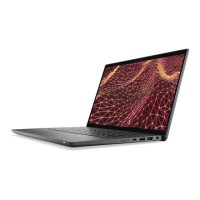
Dell Latitude 7640 - User Manual

Dell Latitude 7640
94 pages
Print Icon
To Next Page IconTo Next Page
Loading...
Latitude 7640
Service Manual
Regulatory Model: P126F
Regulatory Type: P126F001
March 2023
Rev. A00

Table of Contents

Other manuals for Dell Latitude 7640

Questions and Answers

  • A
    Austin BennettAug 13, 2025
    What to do if my Dell Latitude 7640 Laptop battery is swollen?
    • H
      hendricksjohnAug 14, 2025
      If you notice that the lithium-ion battery in your Dell Laptop is swollen, immediately stop using the laptop. Disconnect the AC adapter and allow the battery to fully discharge. Swollen batteries are unsafe for use and should be replaced and disposed of correctly. Contact Dell product support to explore options for replacing the swollen battery under your warranty or service contract.
  • T
    Timothy GreenAug 17, 2025
    How to fix a system board failure on a Dell Latitude 7640?
    • J
      James Burns PhDAug 17, 2025
      To address a system board failure, which includes BIOS corruption or ROM errors, start by flashing the latest BIOS version. If the problem continues after updating the BIOS, the system board may need to be replaced.
  • K
    Karen RoseAug 21, 2025
    What to do if my Dell Latitude 7640 Laptop has a CPU failure?
    • A
      Anthony MillerAug 21, 2025
      If your Dell Laptop experiences a CPU failure, first run the Dell SupportAssist/Dell Diagnostics tool to diagnose the issue. If the problem persists after running the diagnostics, the system board might need replacing.
  • A
    April WardAug 25, 2025
    How to fix 'No memory detected' on Dell Latitude 7640 Laptop?
    • L
      lindsay58Aug 26, 2025
      If your Dell Laptop isn't detecting memory or RAM, first ensure that the memory module is correctly installed. If the issue remains, try replacing the memory module.
  • P
    Paul MortonAug 28, 2025
    What to do if my Dell Latitude 7640 Laptop says 'Invalid memory installed'?
    • C
      Christopher BakerAug 28, 2025
      If your Dell Laptop reports 'Invalid memory installed', try resetting and swapping the memory modules between the slots. If the problem continues, consider replacing the memory module.
  • B
    bruce75Sep 1, 2025
    How to fix 'BIOS Recovery image found but invalid' on Dell Latitude 7640 Laptop?
    • S
      Shelly WiseSep 1, 2025
      To resolve the 'BIOS Recovery image found but invalid' error on your Dell Laptop, begin by flashing the latest BIOS version. If the issue persists, the system board may need to be replaced.
  • T
    Timothy HernandezSep 5, 2025
    Why is there an LCD power rail failure in my Dell Latitude 7640?
    • M
      Michelle BlackSep 5, 2025
      An LCD power rail failure occurs when there is a failure on the LCD power rail of the system board, preventing power from reaching the LCD. The solution is to replace the system board.
  • M
    Mariah JordanSep 9, 2025
    What to do for Power rail failure on Dell Latitude 7640?
    • R
      Rachael ReynoldsSep 9, 2025
      The suggested solution for a power rail failure is to replace the system board.

Summary

Working inside your computer

Safety Instructions and Precautions

Essential guidelines for safe and proper handling of the computer.

Electrostatic Discharge (ESD) Protection

Procedures to prevent damage from static electricity when handling components.

BitLocker Security

Information on BitLocker drive encryption and its interaction with system updates.

Removing and Installing Components

Base Cover Replacement

Steps for removing and installing the computer's bottom cover.

Solid-State Drive (SSD) Replacement

Steps for removing and installing the M.2 2230 solid-state drive.

Battery Replacement

Procedures for removing and installing the 2-cell or 3-cell battery.

Display Assembly Replacement

Steps for removing and installing the computer's display unit.

System Board Replacement

Detailed instructions for removing and installing the main system board.

Keyboard Replacement

Procedures for removing and installing the computer's keyboard.

Drivers and Downloads

Obtaining Drivers and Software

Guidance on finding and downloading necessary drivers and software updates.

BIOS Setup

Entering BIOS Setup Program

How to access and navigate the BIOS setup utility.

BIOS Security Settings

Configuration options for system security features within the BIOS.

Updating the BIOS

Methods for updating the system's BIOS firmware for performance and security.

System and Setup Password Management

Setting, changing, or deleting system and setup passwords.

Clearing CMOS Settings

Procedure to reset BIOS settings to default by clearing CMOS.

Troubleshooting

Handling Swollen Lithium-Ion Batteries

Safety and replacement guidelines for swollen laptop batteries.

Dell SupportAssist Pre-boot Diagnostics

Using built-in diagnostics for hardware issue detection and resolution.

Recovering the Operating System

Steps for restoring the OS using Dell SupportAssist OS Recovery.

Getting Help and Contacting Dell

Self-Help Resources

Accessing online information, guides, and support documentation.

Contacting Dell Support

Information on how to reach Dell for sales or technical assistance.

Dell Latitude 7640 Specifications

General IconGeneral
Processor13th Gen Intel Core i5/i7
Operating SystemWindows 11 Pro
WirelessWi-Fi 6E, Bluetooth 5.2
RAMUp to 64GB DDR5
StorageUp to 1TB PCIe NVMe SSD
GraphicsIntel Iris Xe Graphics
PortsHDMI 2.0
SecurityFingerprint Reader, IR Camera

Related product manuals