Quick Reference Guide 19
CAUTION: Before performing these procedures, turn off the computer, disconnect
the AC adapter from the electrical outlet and the computer, disconnect the modem
from the wall connector and computer, and remove any other external cables from
the computer.
NOTICE: You must remove all external cables from the computer to avoid possible
connector damage.
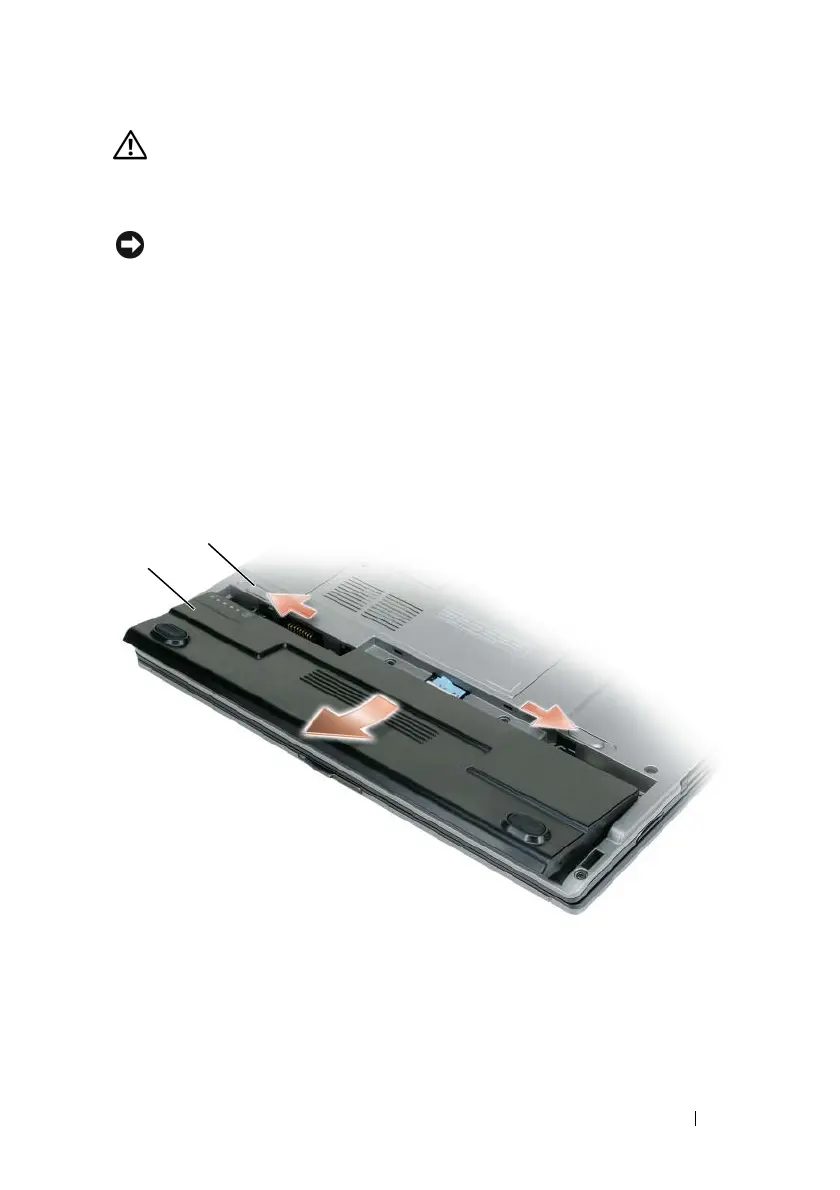
To remove the battery:
1
If the computer is connected to a docking device (docked), undock it. See
the documentation that came with your docking device for instructions.
2
Ensure that the computer is turned off.
3
Slide the two battery-bay release latches on the bottom of the computer
until they click.
4
Remove the battery from the bay.
To replace the battery, place the battery in the bay and press down until the
battery-bay latch release clicks.
1 battery-bay release latch (2) 2 battery
1
2















 To Next Page