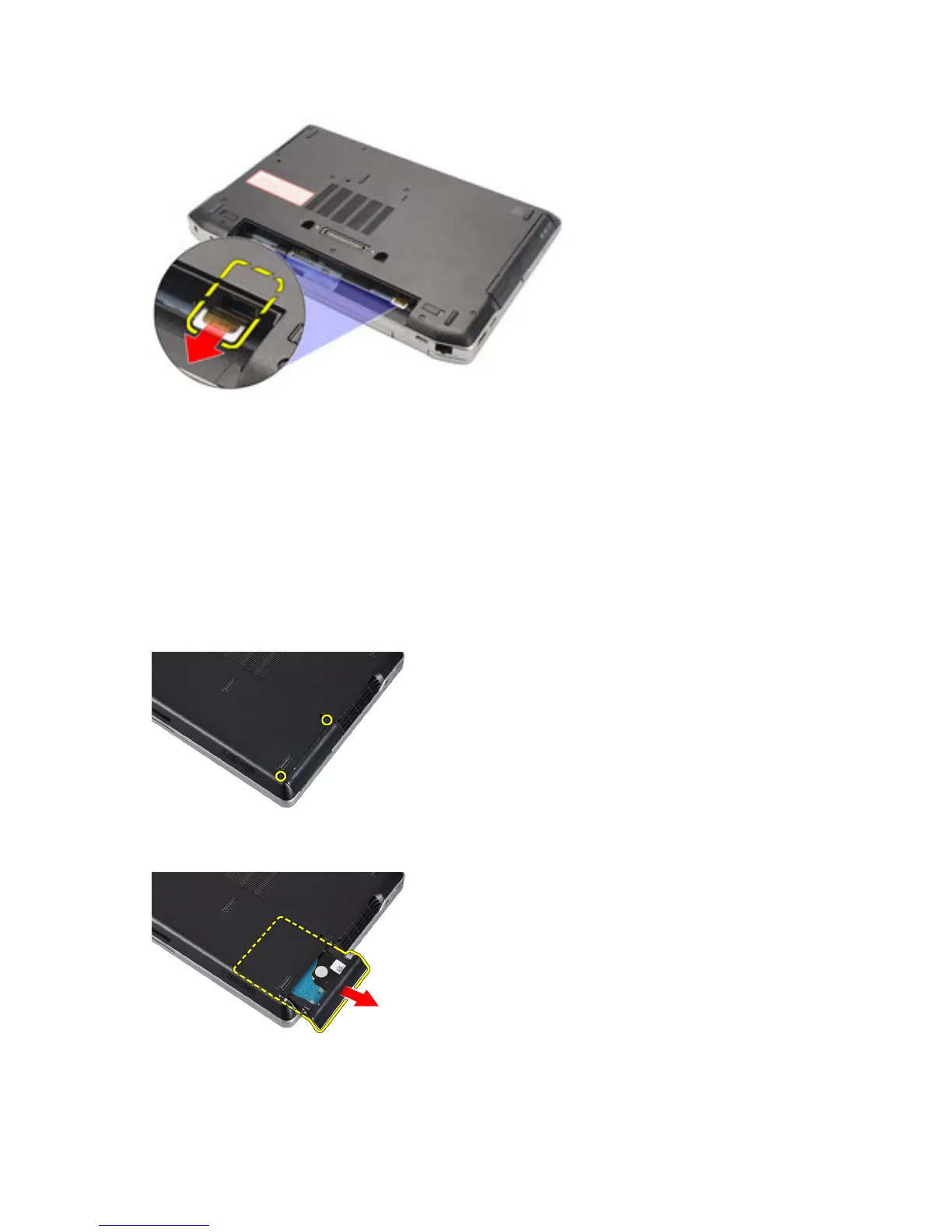
Installing the SIM Card
1. Slide the SIM card into its compartment.
2. Install the battery.
3. Follow the procedures in
After Working Inside Your Computer
.
Removing the Hard Drive
1. Follow the procedures in
Before Working Inside Your Computer
.
2. Remove the battery.
3. Remove the screws that secure the hard drive to the computer.
4. Slide the hard drive out of the computer.
14















 To Next Page