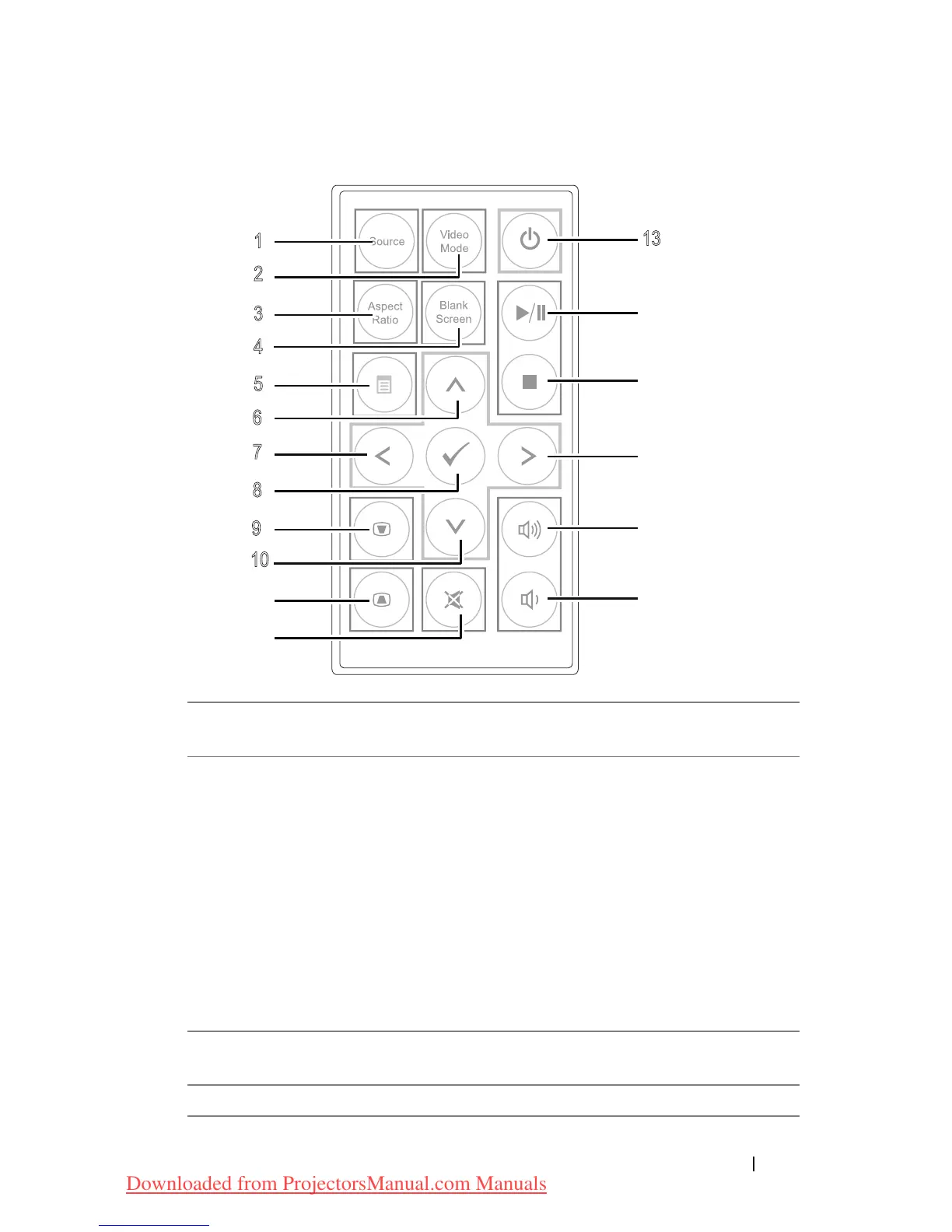
1 Source Press to switch between Analog RGB,
Composite, and HDMI source.
2 Video mode The projector has preset configurations that
are optimized for displaying data
(presentation slides) or video (movies, games,
etc.).
Press the
Video Mode
button to toggle
between
Presentation mode
,
Bright mode
,
Movie mode
,
sRGB
, or
Custom mode
.
Pressing the
Video Mode
button once will
show the current display mode. Pressing the
Video Mode button again will switch
between modes.
3 Aspect ratio Press to change aspect ratio of a displayed
image.
4 Blank screen Press to hide/unhide the image.
Using Your Projector 21
Downloaded from ProjectorsManual.com Manuals



 To Next Page