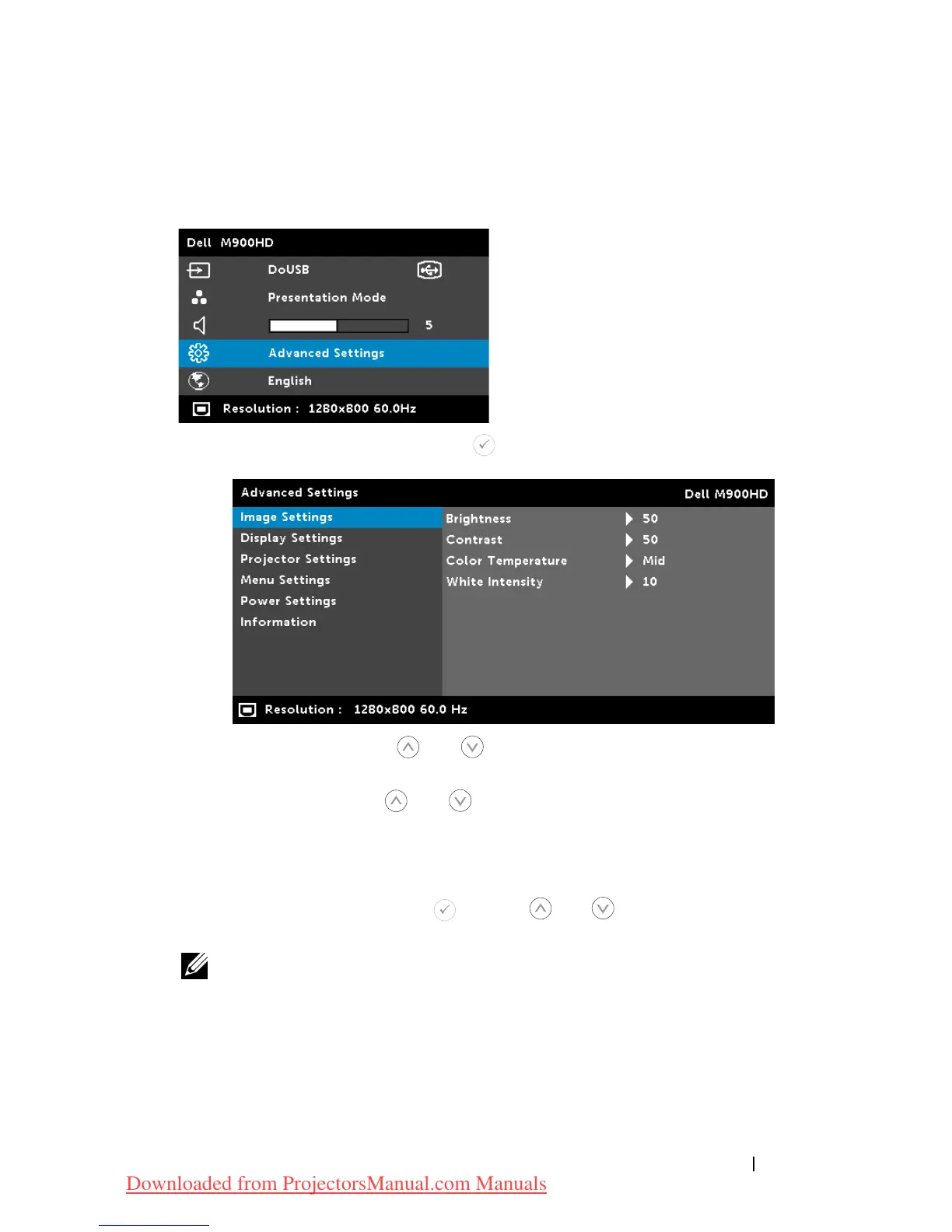
ADVANCED SETTINGS
The Advanced Settings menu allows you to change settings for
Image
,
Display
,
Projector
,
Menu
,
Power
, and
Information
.
IMAGE SETTINGS—Select and press to activate image settings. The image
settings menu provides the following options:
B
RIGHTNESS—
Press and to adjust the brightness of the
image.
CONTRAST—
Press and to adjust the display contrast.
COLOR TEMPERATURE—
Allows you to adjust the color
temperature. The screen appears cooler at higher color
temperatures and warmer at lower color temperatures.
WHITE INTENSITY—
Press and use and to display white
intensity.
NOTE: If you adjust the settings for Brightness, Contrast, Color
Temperature, and White Intensity the projector automatically
switches to Custom mode.
Using Your Projector 27
Downloaded from ProjectorsManual.com Manuals



 To Next Page