About your enclosure
Physical specifications
Table 1. Enclosure dimensions and weight
Measurement Value
Height 8.7 cm (3.43 in)
Width 48.2 cm (18.98 in)
Depth - includes PSU handle 53.9 cm (21.2 in)
Weight - maximum configuration 24.2 kg (53.35 lb)
Weight - empty 8.8 kg (19.4 lb)
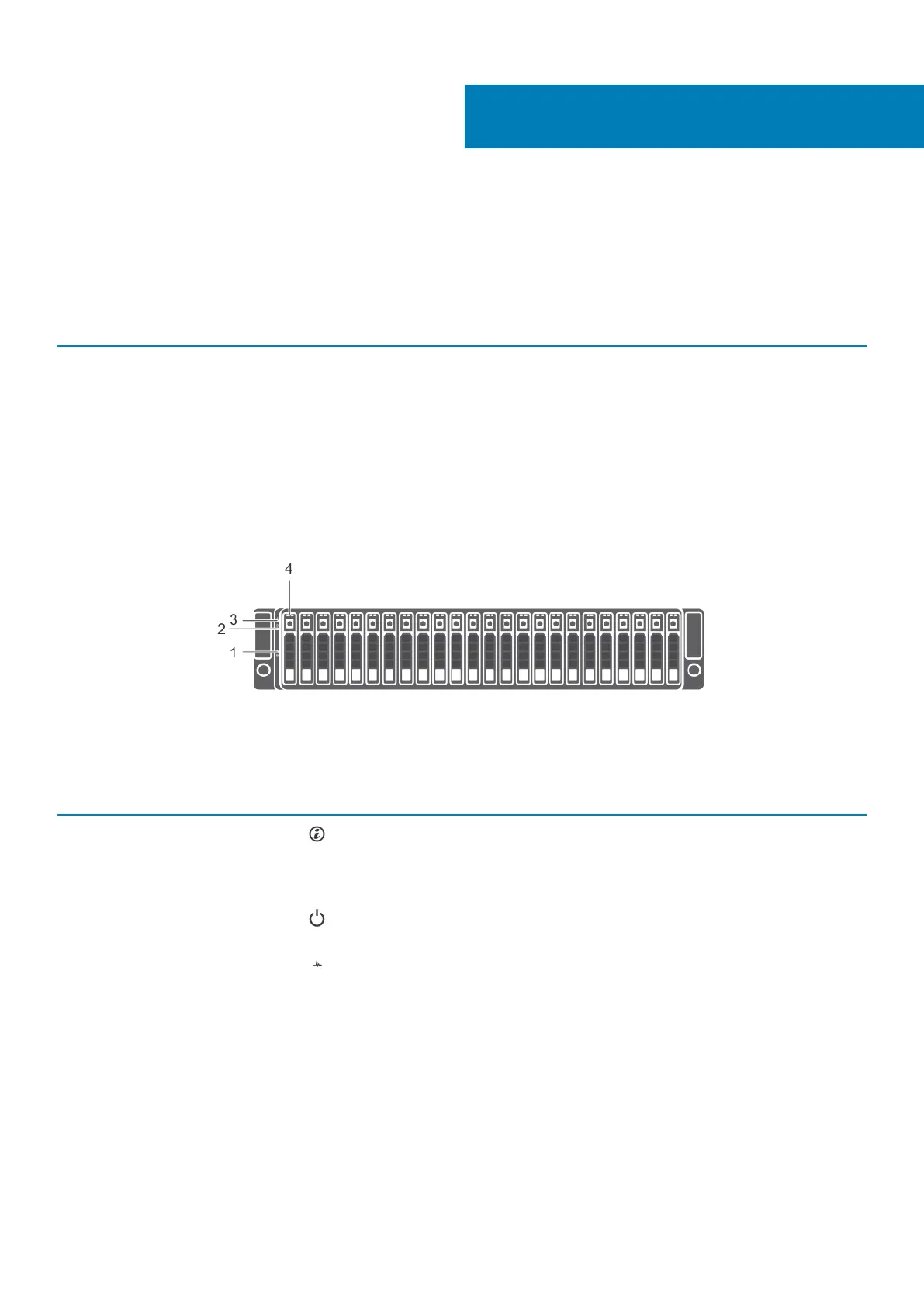
Front-panel features and indicators
Figure 1. Front-panel features and indicators
Item
Indicator, Button, or
Connector
Icon Description
1 System identification
button
The system identification button on the front control panel can be used to locate a
particular enclosure within a rack. When the button is pressed, the system status
indicators on the control panel and the EMM blink blue until the button is pressed
again.
2 Power LED The power LED lights when at least one power supply unit is supplying power to
the enclosure.
3 Enclosure status LED The enclosure status LED glows when the enclosure power is on.
Glows solid blue during normal operation.
Blinks blue when a host server is identifying the enclosure or when the system
identification button is pressed.
Blinks amber or remains solid amber for a few seconds and then turns off when the
EMMs are starting or resetting.
Blinks amber for an extended time when the enclosure is in a warning state.
Remains solid amber when the enclosure is in the fault state.
4 Hard disk drives Up to 24 2.5-inch SAS hot-swappable hard disk drives.
1
About your enclosure 5












 To Next Page