Dell™ OptiPlex™ 320
Tech Specs
MINITOWER
DESKTOP
E
NCLOSURE & VENTILATION REQUIREMENTS
En
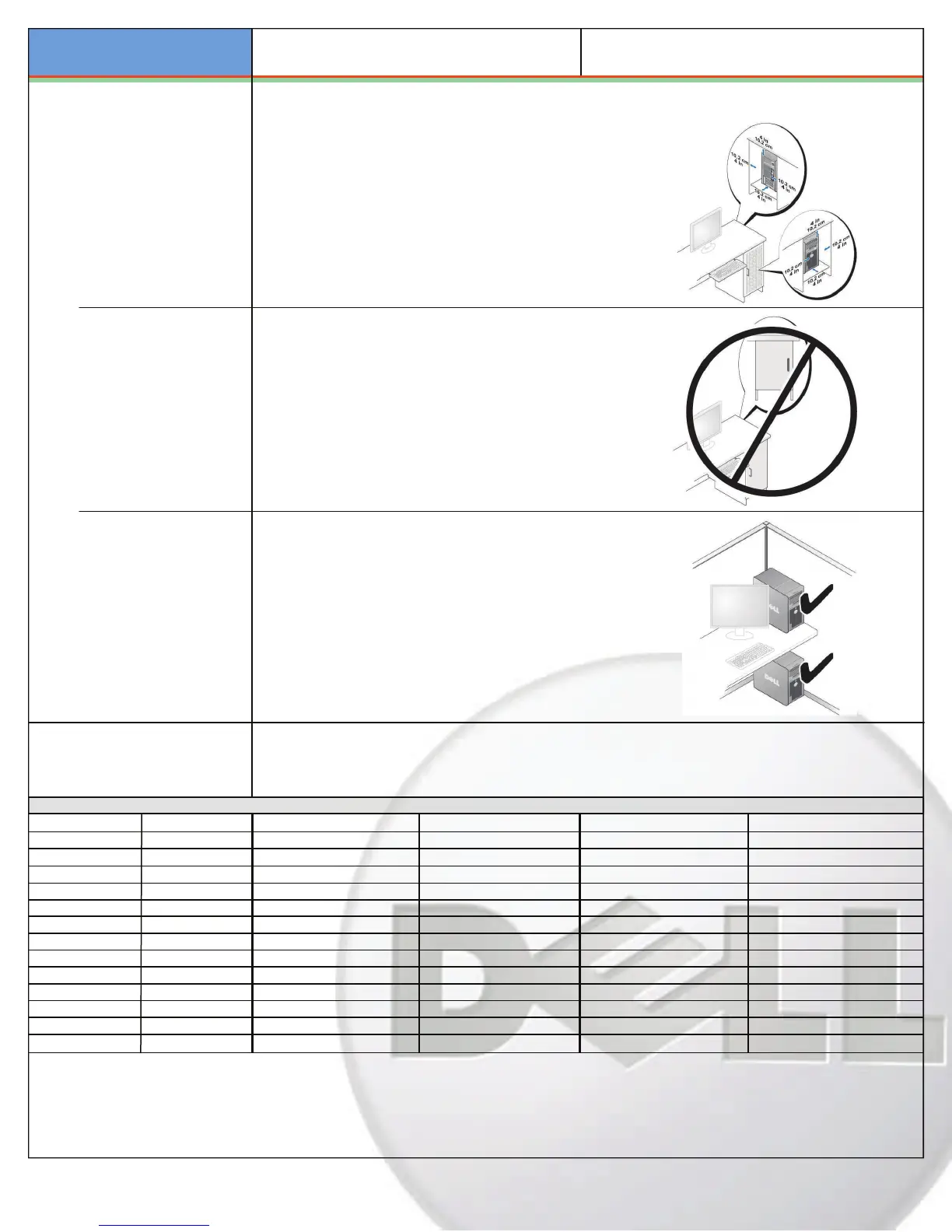
closure Ventilation
If y
our enclosure has doors, they need to be of a type that allows at
least 30% airflow through the enclosure (front and back).
Enclosure Minimum Clearance
Leave a 10.2 cm (4 in.) minimum clearance on all vented sides of the
computer to permit the airflow required for proper ventilation.
Rec
ommended Enclosure
Do
not install your computer in an enclosure that does not allow airflow.
This restricts the airflow and impacts your computer’s performance,
po
ssibly causing it to overheat.
Open Desk Minimum Clearance
If y
our computer is installed in a corner, on a desk, or under a desk,
leave at least 5.1 cm (2 in.) clearance from the back of the computer
to the wall to permit the airflow required for proper ventilation.
ST
ANDARDS
TCO99, Blue Angel, Green PC, Energy Star, BSMI, C-TICK,
C
E, FCC, IRAM, NEMKO, NFPA99, SABS, SASO, TCO,
TUV, UL, VCCI, USB 2.0, WEEE
BI
OS Factory Defaul
ts (All Chassis
)
B
IOS address
F0000
h
USB front panel
On
Low power mode
O
ff (except Energy Star)
B
IOS chip (NVRAM)
4 Mb Mo
dule bay
On Passwor
d
D
isabled
Set
up Option
D
efault Factory Value
Comm
Port
Au
to
POST hot keys
Se
tup & Boot Menu
PA
TA drives
On
Parallel Port mode
PS/2 Ke
yboard Num lock
Repor
t
SA
TA drives
On Parall
el Port address
378 Keyboard
error report
On
Flop
py
In
ternal
Wake on LAN
Of
f
On
board USB
On
O
nboard Video
Au
to
Lim
it CPUID
Of
f
Fast B
oot
On
EIS
T
Of
f
HD Acoustic mode
Byp
ass
O
nboard Audio
On
O
nboard Video buffer
8MB HD
Password
D
isabled
O
n
b
oard Modem
On
Prima
ry Video
A
dd-in
H
yper-threading
On Flex
bay
O
n (no boot)
Su
spend mode
S3
Auto Power on
Of
f
E
xecute Disable
On
Chas
sis intrusion
On A
uto Power time
12:00
am
O
n
b
oard NIC
On
(without PXE)
SERR On PS2 Mouse On A/C recovery Off
Sm
art drive error report
Of
f













 To Next Page