EasyManua.ls Logo

Dell Storage Center SC220 - User Manual

Dell Storage Center SC220
36 pages
Print Icon
To Next Page IconTo Next Page
Loading...
Storage Center™
SC200 and SC220 Enclosures
Service Guide
Question and Answer IconNeed help?

Do you have a question about the Dell Storage Center SC220 and is the answer not in the manual?

Summary

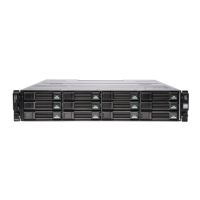
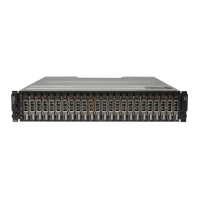
About the SC200;220

Replacing SC200;220 Components

Safety Precautions

Pre-Replacement Procedures

Replacing the Front Bezel

Replacing Power Supply;Cooling Fan Modules

Identifying the Failed Power Supply;Cooling Fan Module

How to use Storage Center System Manager to identify a faulty power supply or cooling fan module.

Replacing Hard Drives

Identifying the Failed Hard Drive

Steps to identify a failed hard drive using Storage Center System Manager.

Replacing an Enclosure Management Module

Identifying the Failed Enclosure Management Module

Procedure to identify a failed EMM using Storage Center System Manager.

Replacing the Control Panel

Replacing the Backplane

Post-Replacement Procedures

Start Up the Controller(s) and Enclosure(s)

Instructions for powering on the system components after a replacement.

Phone Home

Procedure to send system information to Dell Technical Support Services.

Contact Dell Technical Support Services

Guidance on contacting support after completing a repair.

Troubleshooting Power Supply;Cooling Fan Modules

Troubleshooting Hard Drives

Troubleshooting Enclosure Management Modules

Troubleshooting the Control Panel

SC200;SC220 Specifications

EMM Power (Per Slot)

Summary

About the SC200;220

Replacing SC200;220 Components

Safety Precautions

Pre-Replacement Procedures

Replacing the Front Bezel

Replacing Power Supply;Cooling Fan Modules

Identifying the Failed Power Supply;Cooling Fan Module

How to use Storage Center System Manager to identify a faulty power supply or cooling fan module.

Replacing Hard Drives

Identifying the Failed Hard Drive

Steps to identify a failed hard drive using Storage Center System Manager.

Replacing an Enclosure Management Module

Identifying the Failed Enclosure Management Module

Procedure to identify a failed EMM using Storage Center System Manager.

Replacing the Control Panel

Replacing the Backplane

Post-Replacement Procedures

Start Up the Controller(s) and Enclosure(s)

Instructions for powering on the system components after a replacement.

Phone Home

Procedure to send system information to Dell Technical Support Services.

Contact Dell Technical Support Services

Guidance on contacting support after completing a repair.

Troubleshooting Power Supply;Cooling Fan Modules

Troubleshooting Hard Drives

Troubleshooting Enclosure Management Modules

Troubleshooting the Control Panel

SC200;SC220 Specifications

EMM Power (Per Slot)

Dell Storage Center SC220 Specifications

General IconGeneral
Form Factor2U
Maximum Drives24
Hot-Swap SupportYes
Power SupplyDual 700W
Power Supply RedundancyYes
Supported Drive TypesSAS, SSD
InterfaceSAS 6Gbps
Expansion Ports2 x SAS
CoolingRedundant cooling
Cooling FansHot-swappable fans
CompatibilityDell Storage Center SC Series

Related product manuals