EasyManua.ls Logo

Dell Storage Center SC200 - User Manual

Dell Storage Center SC200
36 pages
Print Icon
To Next Page IconTo Next Page
Loading...
Storage Center™
SC200 and SC220 Enclosures
Service Guide
Question and Answer IconNeed help?

Do you have a question about the Dell Storage Center SC200 and is the answer not in the manual?

Summary

Replacing SC200;220 Components

Safety Precautions

General safety precautions to prevent injury and damage during component replacement procedures.

Electrical Safety Precautions

Specific electrical safety measures to follow when working with enclosure components.

General Safety Precautions

General safety measures to avoid injury and damage to the enclosure and surrounding area.

Electrostatic Discharge Precautions

Precautions to prevent damage from electrostatic discharge when handling components.

Replacing Power Supply;Cooling Fan Modules

Procedure for replacing the hot-swappable power supply and cooling fan modules.

Replacing Hard Drives

Step-by-step guide for replacing failed hot-swappable hard drives in the enclosures.

Replacing an Enclosure Management Module

Instructions for replacing the redundant hot-swappable enclosure management modules (EMMs).

Troubleshooting SC200;220 Components

Troubleshooting Power Supply;Cooling Fan Modules

Steps to troubleshoot issues with power supply and cooling fan modules.

Troubleshooting Hard Drives

Steps to identify and resolve issues related to hard drives in the enclosures.

Troubleshooting Enclosure Management Modules

Steps to troubleshoot problems with Enclosure Management Modules (EMMs).

Summary

Replacing SC200;220 Components

Safety Precautions

General safety precautions to prevent injury and damage during component replacement procedures.

Electrical Safety Precautions

Specific electrical safety measures to follow when working with enclosure components.

General Safety Precautions

General safety measures to avoid injury and damage to the enclosure and surrounding area.

Electrostatic Discharge Precautions

Precautions to prevent damage from electrostatic discharge when handling components.

Replacing Power Supply;Cooling Fan Modules

Procedure for replacing the hot-swappable power supply and cooling fan modules.

Replacing Hard Drives

Step-by-step guide for replacing failed hot-swappable hard drives in the enclosures.

Replacing an Enclosure Management Module

Instructions for replacing the redundant hot-swappable enclosure management modules (EMMs).

Troubleshooting SC200;220 Components

Troubleshooting Power Supply;Cooling Fan Modules

Steps to troubleshoot issues with power supply and cooling fan modules.

Troubleshooting Hard Drives

Steps to identify and resolve issues related to hard drives in the enclosures.

Troubleshooting Enclosure Management Modules

Steps to troubleshoot problems with Enclosure Management Modules (EMMs).
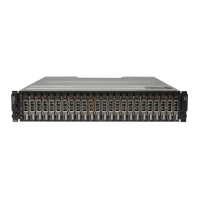
Dell Storage Center SC200 Specifications

General IconGeneral
BrandDell
ModelStorage Center SC200
CategoryEnclosure
LanguageEnglish

Related product manuals