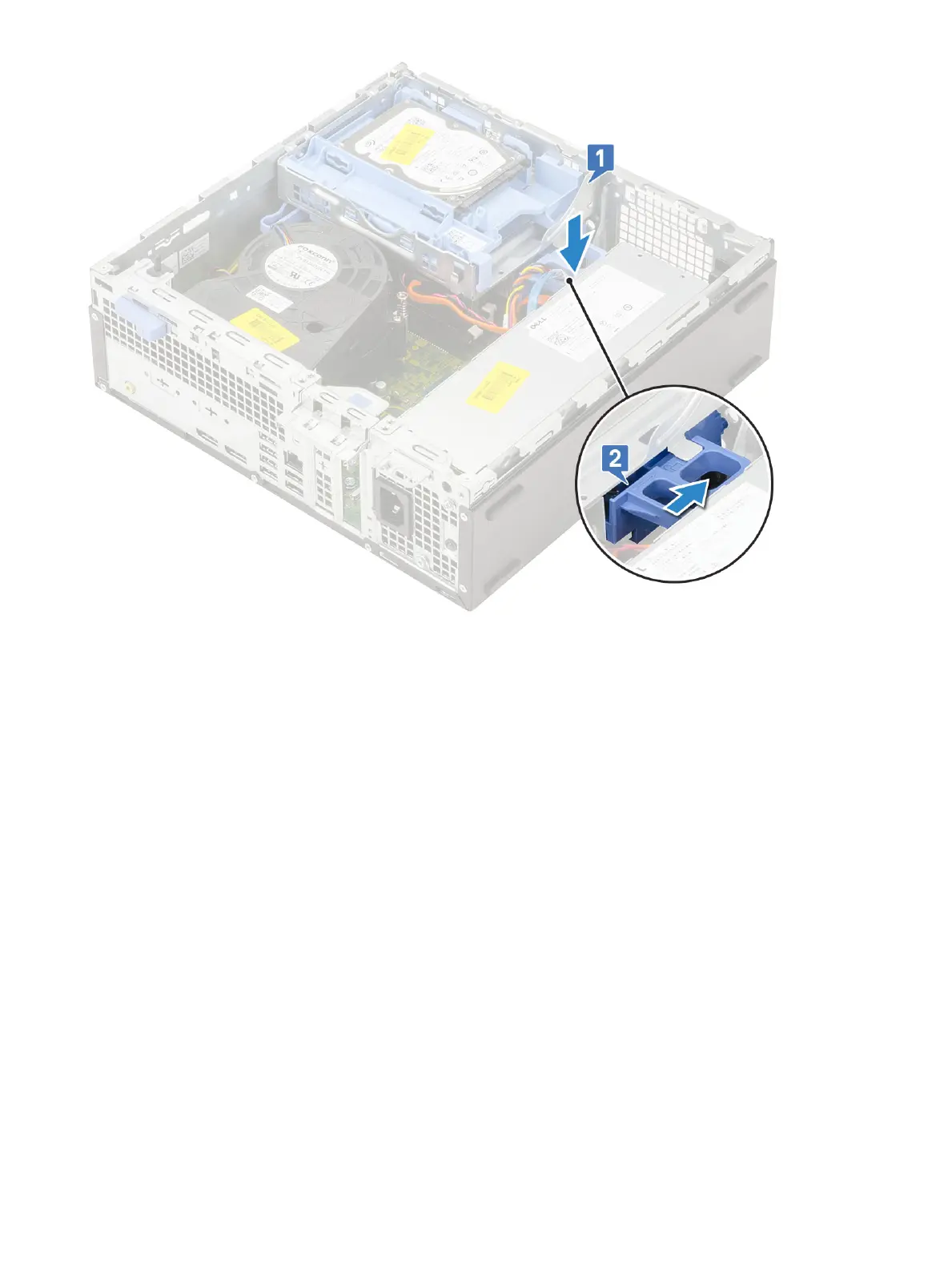
6 Install the:
a Front bezel
b Side cover
7 Follow the procedure in After working inside your computer.
Hard drive and optical drive module
Removing the hard drive and optical drive module
1 Follow the procedure in Before working inside your computer.
2 Remove the:
a Side cover
b Front bezel
c HDD assembly
3 To release the hard drive and optical drive module:
a Unroute the optical drive cables [1] and hard drive cables [2] through the retention clip and HDD-ODD release tab respectively.
34
Removing and installing components











 To Next Page