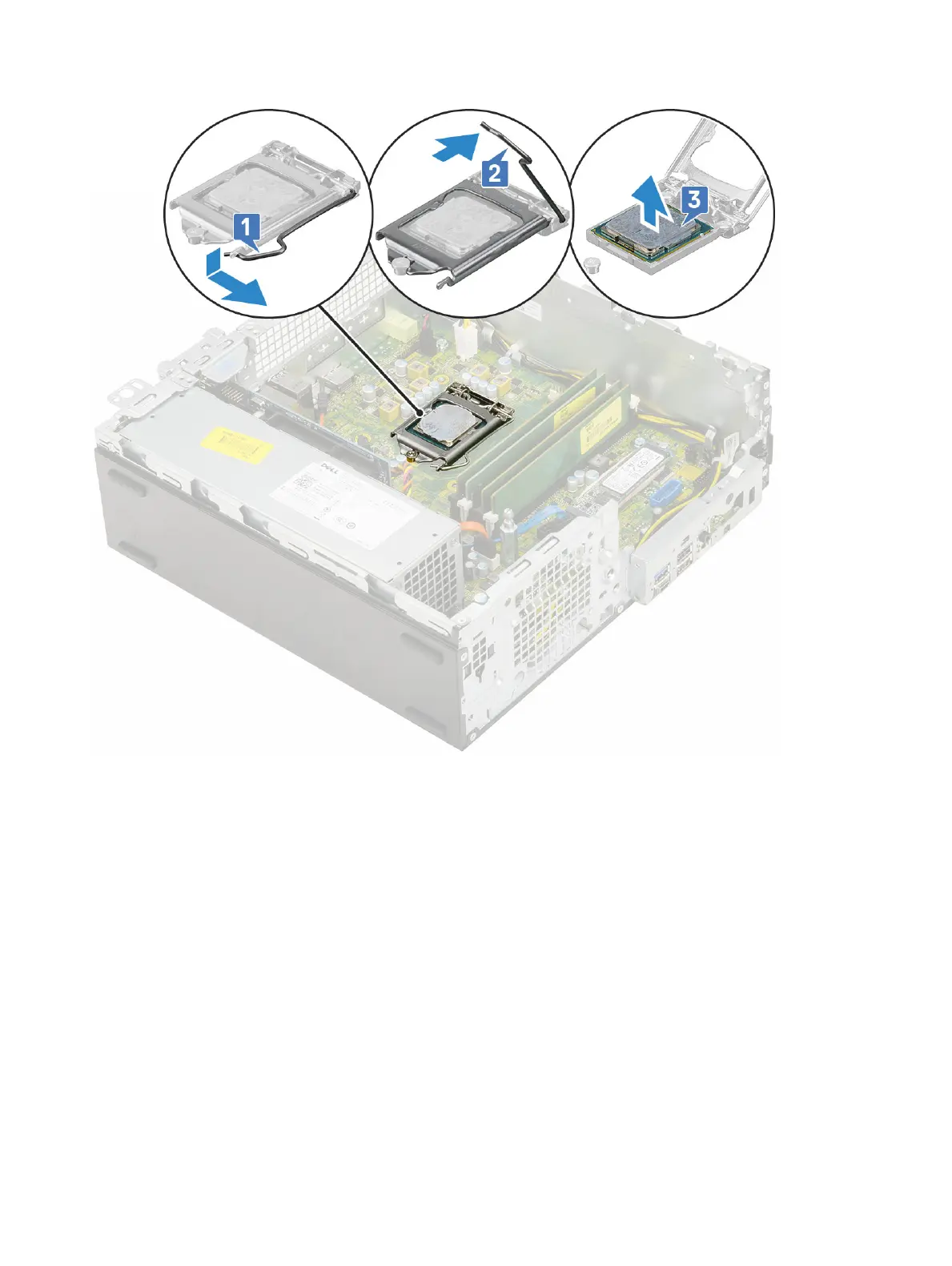
b Lift the lever upward and lift the processor shield [2].
c Lift the processor out of the socket [3].
Installing the processor
1 Place the processor on the socket such that the slots on the processor align with the socket keys [1].
2 Close the processor shield by sliding it under the retention screw [2].
3 Lower the socket lever and push it under the tab to lock it [3].
Removing and installing components
53












 To Next Page