
 To Next Page

J
Joseph PorterSep 13, 2025
What to do if my Dell Laptop has Power rail failure?
- GGloria DavisSep 13, 2025
This could be because the EC ran into a power sequencing failure. If the problem continues, you may need to replace the system board.

What to do if my Dell Laptop has Power rail failure?
This could be because the EC ran into a power sequencing failure. If the problem continues, you may need to replace the system board.
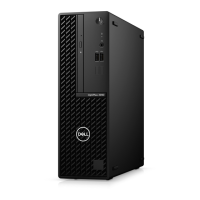
What to do if no boot device is available on Dell OptiPlex 5080 Small Form Factor Desktop?
If your Dell Desktop displays the message 'NO BOOT DEVICE AVAILABLE,' it means the computer can't find the hard drive. Make sure the drive is installed, properly seated, and partitioned as a boot device.
What to do if operating system is not found on Dell OptiPlex 5080 Small Form Factor Desktop?
If your Dell Desktop shows 'OPERATING SYSTEM NOT FOUND,' reinstalling the operating system might solve the problem. If the issue continues, further assistance may be needed.
Why is available memory decreasing on Dell Desktop?
If your Dell Desktop shows 'DECREASING AVAILABLE MEMORY', it may indicate that one or more memory modules are faulty or not properly seated. Try reinstalling the memory modules, and if the problem continues, replace them.
What does memory address line failure mean on Dell OptiPlex 5080 Small Form Factor Desktop?
If your Dell Desktop displays 'MEMORY ADDRESS LINE FAILURE AT ADDRESS, READ VALUE EXPECTING VALUE', it suggests that a memory module may be faulty or improperly seated. Reinstall the memory module, or replace it if necessary.
What does memory double word logic failure mean on Dell Desktop?
If your Dell Desktop shows 'MEMORY DOUBLE WORD LOGIC FAILURE AT ADDRESS, READ VALUE EXPECTING VALUE', a memory module may be faulty or improperly seated. Try reinstalling the memory module, or replace it if needed.
How to fix Gate A20 failure on Dell OptiPlex 5080 Small Form Factor?
If your Dell Desktop displays 'GATE A20 FAILURE', it might indicate that a memory module is loose. Try reinstalling the memory module, or replace it if necessary.
How to fix keyboard stuck key failure on Dell OptiPlex 5080 Small Form Factor Desktop?
If your Dell Desktop displays the message 'KEYBOARD STUCK KEY FAILURE', and you are using external keyboards or keypads, start by checking the cable connection. Then, restart the computer, being careful not to touch any keys during the boot process.
How to fix keyboard data line failure on Dell OptiPlex 5080 Small Form Factor?
If your Dell Desktop displays 'KEYBOARD DATA LINE FAILURE', and you're using an external keyboard, check the cable connection. Run the Keyboard Controller test in Dell Diagnostics.
How to fix keyboard clock line failure on Dell OptiPlex 5080 Small Form Factor?
If your Dell Desktop displays 'KEYBOARD CLOCK LINE FAILURE', and you're using an external keyboard, check the cable connection. Run the Keyboard Controller test in Dell Diagnostics.



 General