EasyManua.ls Logo

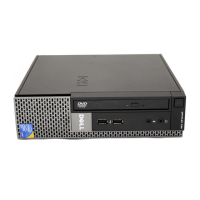
Dell OptiPlex 5080 Small Form Factor - User Manual

Dell OptiPlex 5080 Small Form Factor
51 pages
Print Icon
To Next Page IconTo Next Page
Loading...
OptiPlex 5080 Small Form Factor
Service Manual
Regulatory Model: D15S
Regulatory Type: D15S001
May 2020
Rev. A00

Table of Contents

Other manuals for Dell OptiPlex 5080 Small Form Factor

Questions and Answers

  • D
    Dana FritzSep 16, 2025
    How to fix power rail failure on Dell OptiPlex 5080 Small Form Factor Desktop?
    • N
      Nathan JohnstonSep 16, 2025
      If your Dell Desktop indicates 'Power rail failure', it means the EC ran into a power sequencing failure. If the problem persists, replace the system board.
  • G
    gjohnsonSep 16, 2025
    How to fix SBIOS flash corruption on Dell OptiPlex 5080 Small Form Factor Desktop?
    • W
      Walter MorganSep 16, 2025
      If your Dell Desktop shows 'SBIOS Flash corruption', it means flash corruption was detected by SBIOS. If the problem persists, replace the system board.
  • G
    grantnealSep 16, 2025
    How to fix auxiliary device failure on Dell Desktop?
    • M
      Matthew AllenSep 17, 2025
      If you Dell Desktop displays 'AUXILIARY DEVICE FAILURE', and you are using an external mouse, check the cable connection. Also, enable the Pointing Device option in the System Setup program. The touchpad or external mouse may be faulty.
  • J
    juliewilliamsSep 17, 2025
    What to do if bad command or file name on Dell OptiPlex 5080 Small Form Factor Desktop?
    • D
      Daniel PrestonSep 17, 2025
      If your Dell Desktop displays 'BAD COMMAND OR FILE NAME', make sure you've spelled the command correctly, used proper spacing, and provided the correct path name.
  • J
    Jay FreySep 17, 2025
    What to do if file being copied is too large for the destination drive on Dell OptiPlex 5080 Small Form Factor Desktop?
    • J
      jonestracySep 17, 2025
      If your Dell Desktop shows 'THE FILE BEING COPIED IS TOO LARGE FOR THE DESTINATION DRIVE', try copying the file to a different disk or using a larger capacity disk.
  • J
    Joseph MeyersSep 18, 2025
    Why filename cannot contain special characters on Dell OptiPlex 5080 Small Form Factor?
    • K
      Kenneth RodriguezSep 18, 2025
      If your Dell Desktop displays 'A FILENAME CANNOT CONTAIN ANY OF THE FOLLOWING CHARACTERS: \/:*?"| -', avoid using these characters in filenames.
  • U
    uparsonsSep 18, 2025
    How to fix drive not ready error on Dell OptiPlex 5080 Small Form Factor?
    • M
      matthewchavezSep 18, 2025
      If your Dell Desktop displays 'DRIVE NOT READY', install a hard drive in the hard drive bay.
  • W
    walkeremilySep 18, 2025
    How to fix memory allocation error on Dell OptiPlex 5080 Small Form Factor Desktop?
    • T
      tammy32Sep 18, 2025
      If your Dell Desktop displays 'MEMORY ALLOCATION ERROR', the software you're trying to run is conflicting with the operating system, another program, or a utility. Shut down the computer, wait for 30 seconds, and then restart it.
  • J
    Juan CooperSep 18, 2025
    How to fix no timer tick interrupt on Dell OptiPlex 5080 Small Form Factor?
    • M
      Marcus HillSep 18, 2025
      If your Dell Desktop displays 'NO TIMER TICK INTERRUPT', a chip on the system board may be malfunctioning. Run the System Set tests in Dell Diagnostics.
  • A
    Aaron NortonSep 18, 2025
    How to fix hard-disk drive configuration error on Dell OptiPlex 5080 Small Form Factor?
    • L
      lynchjulieSep 18, 2025
      If your Dell Desktop shows 'HARD-DISK DRIVE CONFIGURATION ERROR', the computer cannot identify the drive type. Shut down the computer, remove the hard drive, and boot the computer from an optical drive.

Dell OptiPlex 5080 Small Form Factor Specifications

General IconGeneral
BrandDell
ModelOptiPlex 5080 Small Form Factor
CategoryDesktop
LanguageEnglish

Related product manuals