EasyManua.ls Logo

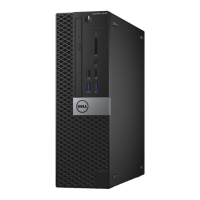
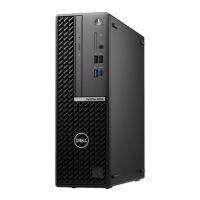
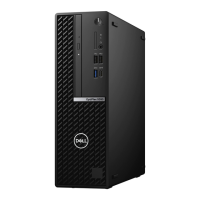
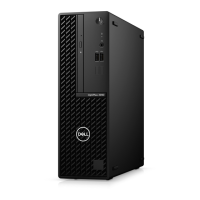
Dell OptiPlex 5080 Small Form Factor - User Manual

Dell OptiPlex 5080 Small Form Factor
51 pages
Print Icon
To Next Page IconTo Next Page
Loading...
OptiPlex 5080 Small Form Factor
Service Manual
Regulatory Model: D15S
Regulatory Type: D15S001
May 2020
Rev. A00

Table of Contents

Other manuals for Dell OptiPlex 5080 Small Form Factor

Questions and Answers

  • J
    Jamie AdamsSep 22, 2025
    What to do if my Dell Water Filtration System has a BIOS recovery image not found error?
    • W
      William ReedSep 22, 2025
      If your Dell Water Filtration System displays a 'BIOS recovery image not found' error, flash the latest BIOS version. If the issue persists, replace the system board.
  • Y
    yolanda25Sep 23, 2025
    What to do if my Dell Water Filtration System has a BIOS recovery image found but invalid error?
    • C
      charleswarnerSep 23, 2025
      If your Dell Water Filtration System indicates that the BIOS recovery image was found but is invalid, flash the latest BIOS version. If the problem continues, replace the system board.
  • F
    fcoxSep 23, 2025
    What should I do if my Dell Water Filtration System has a CPU power cable connection issue?
    • C
      Chad FordSep 23, 2025
      If you suspect a CPU power cable connection issue with your Dell Water Filtration System, run PSU BIST. Remove and reconnect the power cables. If the problem continues, replace the system board or PSU based on the diagnostics run.
  • K
    Kelly HerreraSep 23, 2025
    What to do if Dell OptiPlex 5080 Small Form Factor Desktop shows 'Memory Allocation Error'?
    • J
      jeremyryanSep 23, 2025
      If your Dell Desktop displays a 'Memory Allocation Error', the software you are attempting to run is conflicting with the operating system, another program, or a utility. Shut down the computer, wait for 30 seconds, and then restart it. Run the program again. If the error message still appears, see the software documentation.
  • A
    Angela MillsSep 23, 2025
    What does 'Bad Command or File Name' mean on Dell OptiPlex 5080 Small Form Factor?
    • L
      lisagilbertSep 23, 2025
      If your Dell Desktop displays 'Bad Command or File Name', ensure that you have spelled the command correctly, put spaces in the proper place, and used the correct path name.
  • M
    Mark BarnesSep 23, 2025
    What to do if my Dell Desktop cannot find the hard drive?
    • S
      Sherry ReynoldsSep 23, 2025
      If your hard drive is the boot device, ensure it is installed, properly seated, and partitioned as a boot device.
  • D
    Denise SpencerSep 23, 2025
    What to do if one or more memory modules are faulty in Dell OptiPlex 5080 Small Form Factor?
    • R
      robert77Sep 23, 2025
      Reinstall the memory modules. If the problem persists, replace the faulty memory modules in your Dell Desktop.
  • R
    ralvarezSep 23, 2025
    What to do if Dell OptiPlex 5080 Small Form Factor Desktop has no memory/RAM detected?
    • T
      taylorshepardSep 23, 2025
      Confirm that the memory module in your Dell Desktop is installed properly. If the issue persists, replace the memory module.
  • M
    Mrs. Katrina LoganSep 23, 2025
    What to do if Dell OptiPlex 5080 Small Form Factor has memory/RAM failure?
    • D
      David LopezSep 23, 2025
      Reset the memory module in your Dell Desktop. If the problem continues, replace the memory module.
  • J
    James GordonSep 23, 2025
    What to do if a memory module is loose in Dell OptiPlex 5080 Small Form Factor Desktop?
    • M
      Mary ReyesSep 23, 2025
      Reinstall the memory module or, if necessary, replace it in your Dell Desktop.

Dell OptiPlex 5080 Small Form Factor Specifications

General IconGeneral
BrandDell
ModelOptiPlex 5080 Small Form Factor
CategoryDesktop
LanguageEnglish

Related product manuals