EasyManua.ls Logo

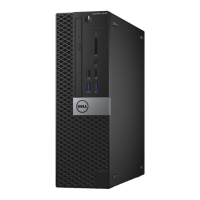
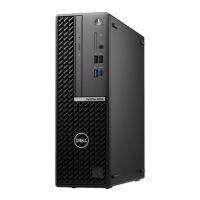
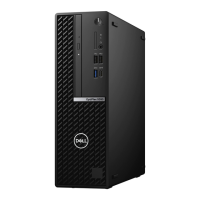
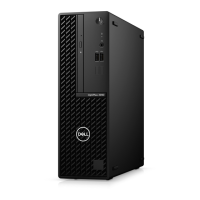
Dell OptiPlex 5080 Small Form Factor - User Manual

Dell OptiPlex 5080 Small Form Factor
51 pages
Print Icon
To Next Page IconTo Next Page
Loading...
OptiPlex 5080 Small Form Factor
Service Manual
Regulatory Model: D15S
Regulatory Type: D15S001
May 2020
Rev. A00

Table of Contents

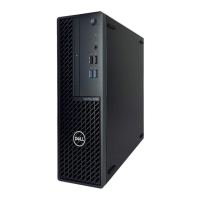
Other manuals for Dell OptiPlex 5080 Small Form Factor

Questions and Answers

  • D
    Donna WilliamsonSep 14, 2025
    How to fix keyboard controller failure on Dell OptiPlex 5080 Small Form Factor?
    • K
      Kevin PerrySep 15, 2025
      If your Dell Desktop displays 'KEYBOARD CONTROLLER FAILURE', and you use an external keyboard, check the cable connection. Restart the computer, and avoid touching the keyboard or the mouse during the boot routine.
  • J
    Jennifer KelleySep 15, 2025
    What to do if error reading pcmcia card on Dell Desktop?
    • C
      Caroline LopezSep 15, 2025
      If you encounter 'ERROR READING PCMCIA CARD' on your Dell Desktop, the computer is having trouble identifying the ExpressCard. Try reinserting the card or using a different card.
  • J
    John MichaelSep 15, 2025
    How to fix disk C failed initialization on Dell OptiPlex 5080 Small Form Factor Desktop?
    • W
      wbrownSep 15, 2025
      If your Dell Desktop displays 'DISK C: FAILED INITIALIZATION', run the hard drive tests in Dell Diagnostics.
  • R
    rachel79Sep 15, 2025
    Why does Dell Desktop say insert bootable media?
    • M
      mcintoshmarcusSep 15, 2025
      If your Dell Desktop displays 'INSERT BOOTABLE MEDIA', it means the operating system is trying to boot from non-bootable media. Insert bootable media.
  • J
    Jessica BuchananSep 15, 2025
    What to do if extended memory size has changed on Dell Desktop?
    • R
      robert60Sep 15, 2025
      If your Dell Desktop displays 'EXTENDED MEMORY SIZE HAS CHANGED', restart the computer. If the error appears again, further assistance may be needed.
  • N
    Nathan WoodsSep 15, 2025
    What to do if no memory/RAM detected on Dell OptiPlex 5080 Small Form Factor Desktop?
    • S
      Sheila MunozSep 15, 2025
      If your Dell Desktop shows 'No memory/RAM detected', confirm that the memory module is installed properly. If the problem persists, replace the memory module.
  • A
    Angel CortezSep 15, 2025
    What to do if invalid memory installed on Dell OptiPlex 5080 Small Form Factor Desktop?
    • R
      Rachael RossSep 15, 2025
      If your Dell Desktop indicates 'Invalid memory installed', reset the memory module. If the problem persists, replace the memory module.
  • R
    Ryan PayneSep 16, 2025
    How to fix PCI or video card/chip failure on Dell Desktop?
    • C
      Carlos DudleySep 16, 2025
      If your Dell Desktop shows 'PCI or Video card/chip failure', replace the system board.
  • T
    Tracy MitchellSep 16, 2025
    What to do if BIOS recovery image is not found on Dell OptiPlex 5080 Small Form Factor Desktop?
    • R
      Rachel HaasSep 16, 2025
      If your Dell Desktop shows 'BIOS Recovery image not found', flash the latest BIOS version. If the problem persists, replace the system board.
  • G
    gomezjeffreySep 16, 2025
    How to fix BIOS recovery image found but invalid on Dell OptiPlex 5080 Small Form Factor Desktop?
    • M
      Margaret JonesSep 16, 2025
      If your Dell Desktop shows 'BIOS Recovery image found but invalid', flash the latest BIOS version. If the problem persists, replace the system board.

Dell OptiPlex 5080 Small Form Factor Specifications

General IconGeneral
BrandDell
ModelOptiPlex 5080 Small Form Factor
CategoryDesktop
LanguageEnglish

Related product manuals