EasyManua.ls Logo

Dell OptiPlex 7080 Micro - User Manual

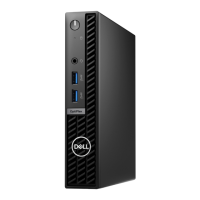
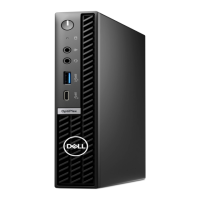
Dell OptiPlex 7080 Micro
57 pages
Print Icon
To Next Page IconTo Next Page
Loading...
OptiPlex 7080 Micro
Service Manual
Regulatory Model: D14U
Regulatory Type: D14U001/D14U003
May 2020
Rev. A00

Table of Contents

Other manuals for Dell OptiPlex 7080 Micro

Questions and Answers

  • Z
    Zachary MartinezSep 12, 2025
    What to do if keyboard clock line failure on Dell OptiPlex 7080 Micro Desktop?
    • M
      Michele AlvaradoSep 12, 2025
      If you encounter a keyboard clock line failure on your Dell Desktop, for external keyboards, check the cable connection. Run the Keyboard Controller test in Dell Diagnostics.
  • J
    James GriffinSep 12, 2025
    How to troubleshoot keyboard data line failure on Dell OptiPlex 7080 Micro?
    • C
      christopherbrennanSep 12, 2025
      To troubleshoot a keyboard data line failure on your Dell Desktop, for external keyboards, check the cable connection. Run the Keyboard Controller test in Dell Diagnostics.
  • P
    Paul BradleySep 10, 2025
    How to fix Intel ME error on Dell OptiPlex 7080 Micro Desktop?
    • J
      Jennifer BauerSep 10, 2025
      To fix an Intel ME (Management Engine) error on your Dell Desktop, be aware of a timeout waiting on ME to reply to a HECI message. If the problem persists, replace the system board.
  • C
    Carla SanchezSep 9, 2025
    How to resolve SBIOS Flash corruption on Dell Desktop?
    • S
      samuelfrankSep 9, 2025
      To resolve SBIOS flash corruption on your Dell Desktop, note that flash corruption was detected by SBIOS. If the problem persists, replace the system board.
  • L
    Lisa ThompsonSep 8, 2025
    How to fix time-of-day clock stopped on Dell Desktop?
    • M
      Marcus JohnsonSep 8, 2025
      If the time-of-day clock has stopped on your Dell Desktop, connect your computer to an electrical outlet to charge the battery.
  • B
    Brian SmithAug 23, 2025
    What to do if no boot device available on Dell OptiPlex 7080 Micro Desktop?
    • K
      Kimberly DavilaAug 23, 2025
      If your Dell Desktop displays 'No Boot Device Available', ensure the drive is installed, properly seated, and partitioned as a boot device. Also, enter system setup and verify that the boot sequence information is correct.
  • M
    Michael PowellSep 6, 2025
    How to fix PCI or Video card failure on Dell Desktop?
    • M
      Michael MccannSep 6, 2025
      To fix a PCI or video card/chip failure on your Dell Desktop, replace the system board.
  • B
    barroncathySep 5, 2025
    How to fix keyboard controller failure on Dell Desktop?
    • A
      Anthony DavisSep 5, 2025
      To fix a keyboard controller failure on your Dell Desktop, for external keyboards, check the cable connection. Restart the computer, and avoid touching the keyboard or the mouse during the boot routine.
  • D
    Devin GoodSep 4, 2025
    How to troubleshoot power rail failure on Dell Desktop?
    • P
      Paul BaileySep 4, 2025
      To troubleshoot a power rail failure on your Dell Desktop, note that the EC ran into a power sequencing failure. If the problem persists, replace the system board.
  • R
    Rebecca Turner DDSSep 3, 2025
    How to fix CMOS battery failure on Dell Desktop?
    • H
      Hannah LopezSep 3, 2025
      To address a CMOS battery failure on your Dell Desktop, reset the CMOS battery connection. If the problem persists, replace the RTS battery.

Summary

Working on your computer

Safety instructions

Guidelines to protect your computer from potential damage and ensure personal safety.

Safety precautions

Primary safety steps to follow before performing any disassembly or reassembly procedures.

Electrostatic discharge-ESD protection

Measures to prevent damage to electronic components from static electricity.

Disassembly and reassembly

Removing the side cover

Step-by-step instructions for detaching the computer's side cover.

Removing the processor

Step-by-step guide for removing the Central Processing Unit (CPU).

Installing the processor

Step-by-step guide for installing the Central Processing Unit (CPU).

Removing the system board

Procedure to detach the main system board from the chassis.

Installing the system board

Procedure to attach the main system board to the chassis.

Troubleshooting

Dell SupportAssist Pre-boot System Performance Check diagnostics

Overview of hardware diagnostics performed before the operating system loads.

Running the SupportAssist Pre-Boot System Performance Check

Instructions to initiate pre-boot system diagnostics for hardware checks.

Diagnostic LED behavior

Interpretation of system diagnostic LED blinking patterns and their meanings.

Diagnostic error messages

Explanation of common diagnostic error messages and their resolutions.

System error messages

Explanation of general system error messages and potential causes.

Dell OptiPlex 7080 Micro Specifications

General IconGeneral
Weight2.6 lbs (1.18 kg)
Processor OptionsIntel Core i3/i5/i7, Pentium, Celeron
ChipsetIntel Q470 Chipset
MemoryUp to 64GB DDR4
Storage OptionsM.2 PCIe NVMe SSD, 2.5-inch SATA HDD/SSD
GraphicsIntel UHD Graphics 630
Ports (Front)1x USB 3.2 Gen 2 Type-C, 1x Universal Audio Jack
Ports (Rear)1x DisplayPort 1.4, 1x RJ-45, 2x USB 3.2 Gen 1, 2x USB 2.0
NetworkingIntel Wi-Fi 6 AX201
Operating SystemWindows 10 Pro, Ubuntu Linux
Power Supply90W external power adapter
Dimensions178.00 x 36.00 x 182.00 mm

Related product manuals