Optical Drive 5
Removing the Optical Drive
1. Follow the procedures in
Before Working Inside Your Computer
.
2. Remove the
cover
.
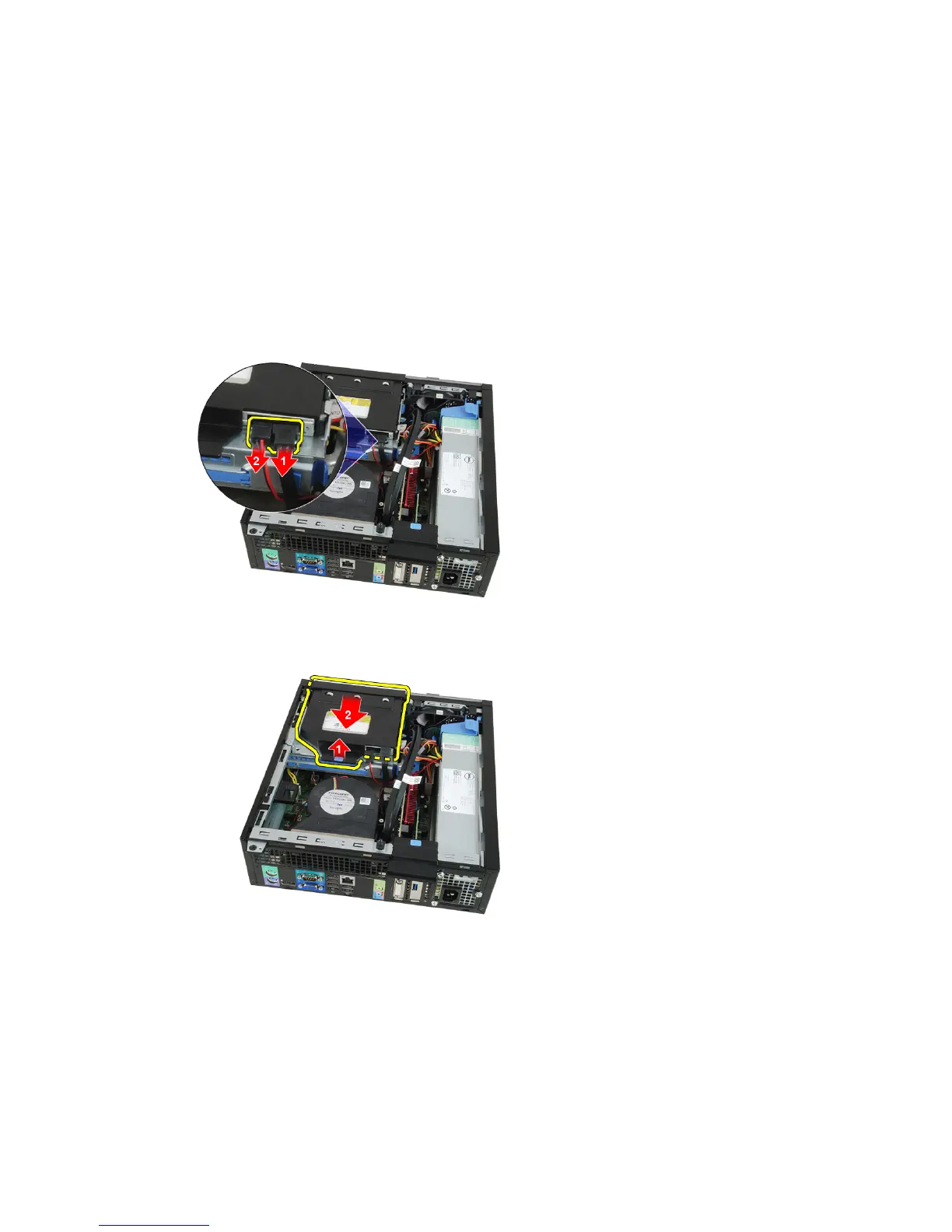
3. Remove the data cable and power cable from the back of the optical drive.
4. Lift the blue tab and slide the optical drive inwards to remove it from the
computer.
5. Remove the optical drive from the bracket.
17








 To Next Page