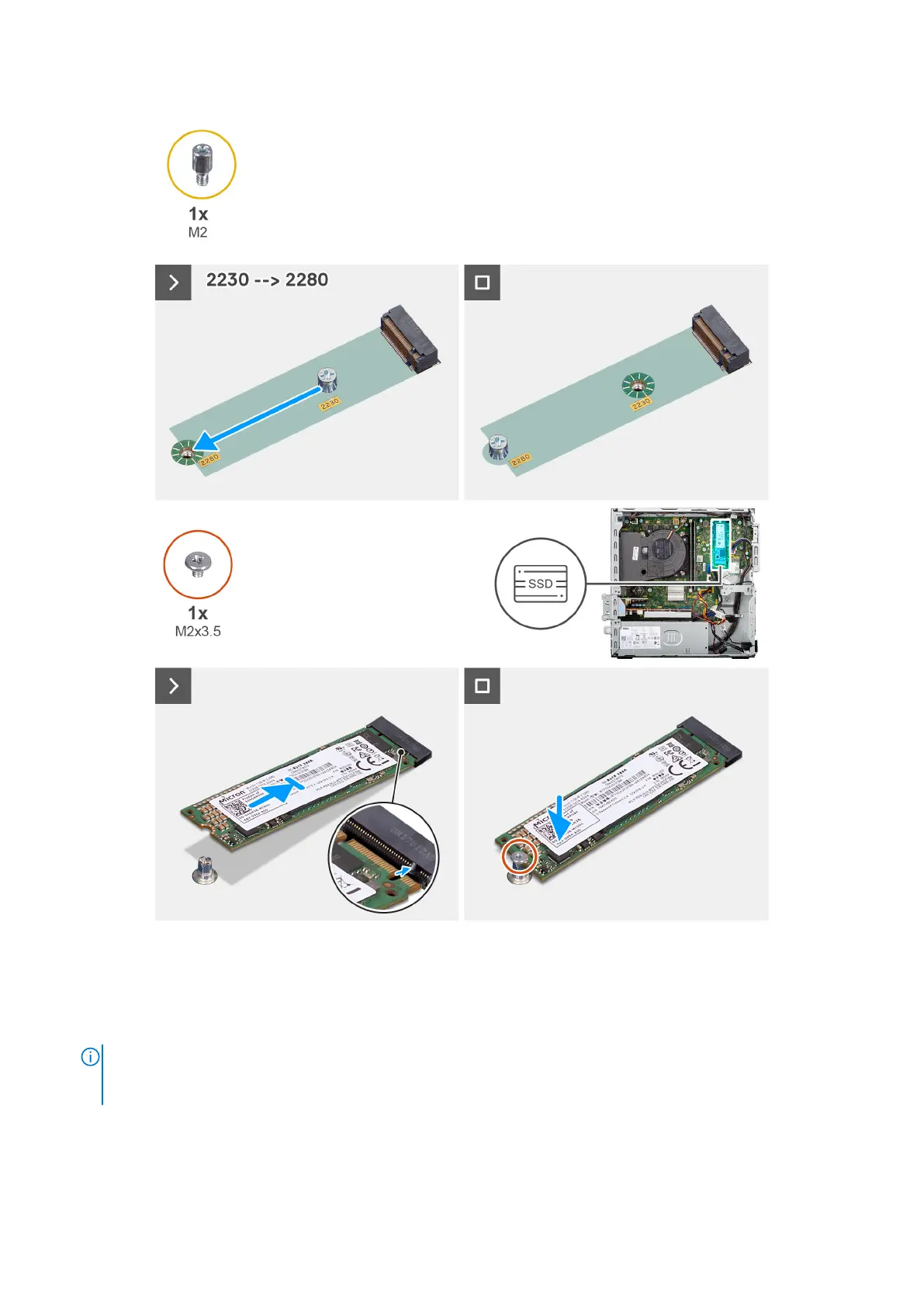
Figure 20. Installing the M.2 2280 solid-state drive
Steps
1. Peel off the protection film on the thermal pad.
2. Align and adhere the thermal pad on the M.2 2280 solid-state drive slot on the system board.
NOTE:
The thermal pad is re-usable. The thermal pad is pre-installed on computers that are shipped with solid-state
drive. If the solid-state drive is purchased separately, the thermal pad is not bundled with the solid-state drive kit and
must be purchased separately.
60 Removing and installing Customer Replaceable Units (CRUs)
Restricted - Confidential













 To Next Page