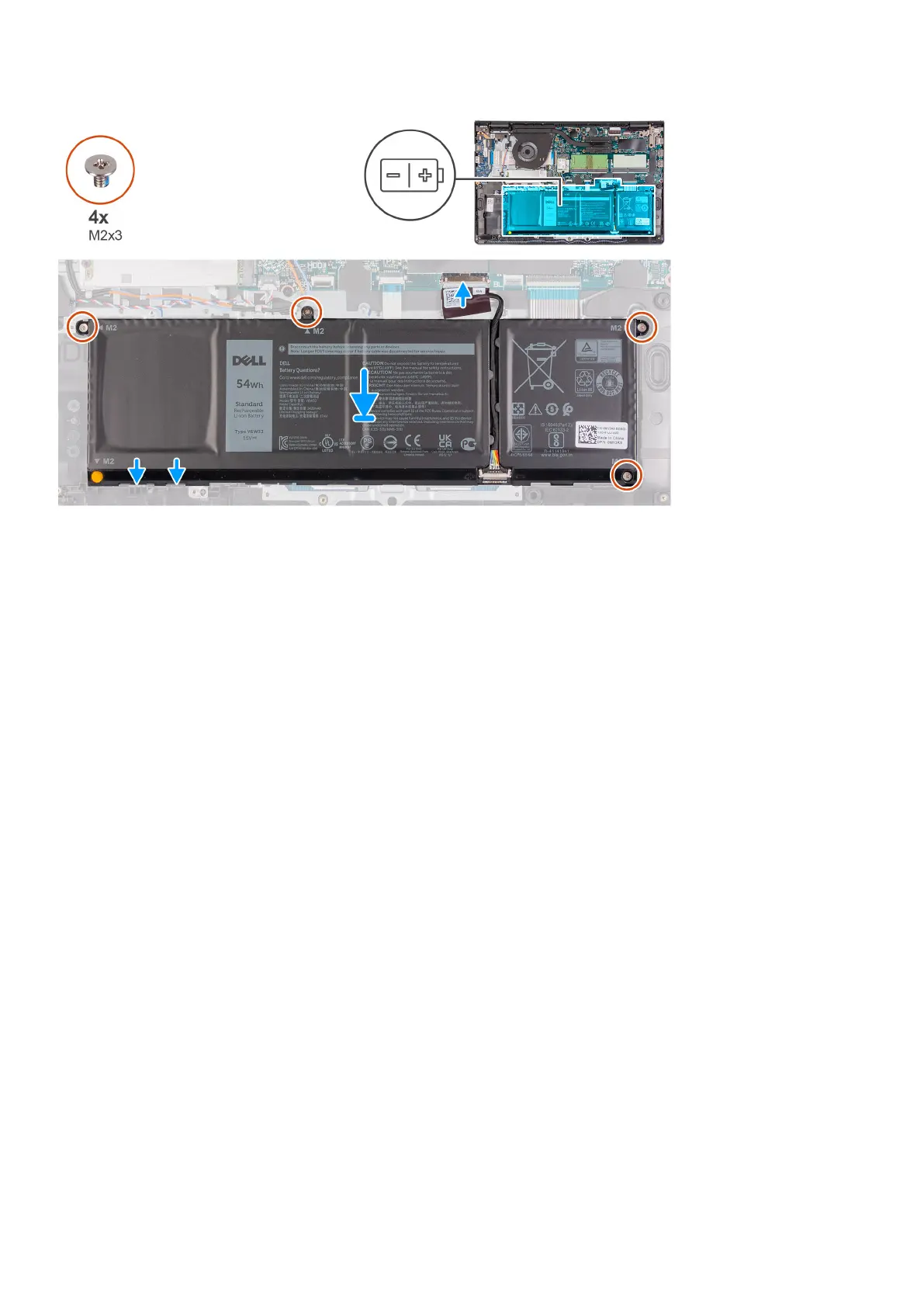
Steps
1. Place the battery on the palm-rest and keyboard assembly.
2. Align the screw holes on the battery to the screw holes on the palmrest and keyboard assembly.
3. Replace the three screws (M2x3) that secure the battery to the palmrest and keyboard assembly.
4. Connect the battery cable to the connector on the system board.
Next steps
1. Install the base cover.
2. Install the SD card.
3. Follow the procedure in after working inside your computer.
Disconnecting the battery cable
Prerequisites
1. Follow the procedure in before working inside your computer.
2. Remove the SD card.
3. Remove the base cover.
Removing and installing components
25



 To Next Page