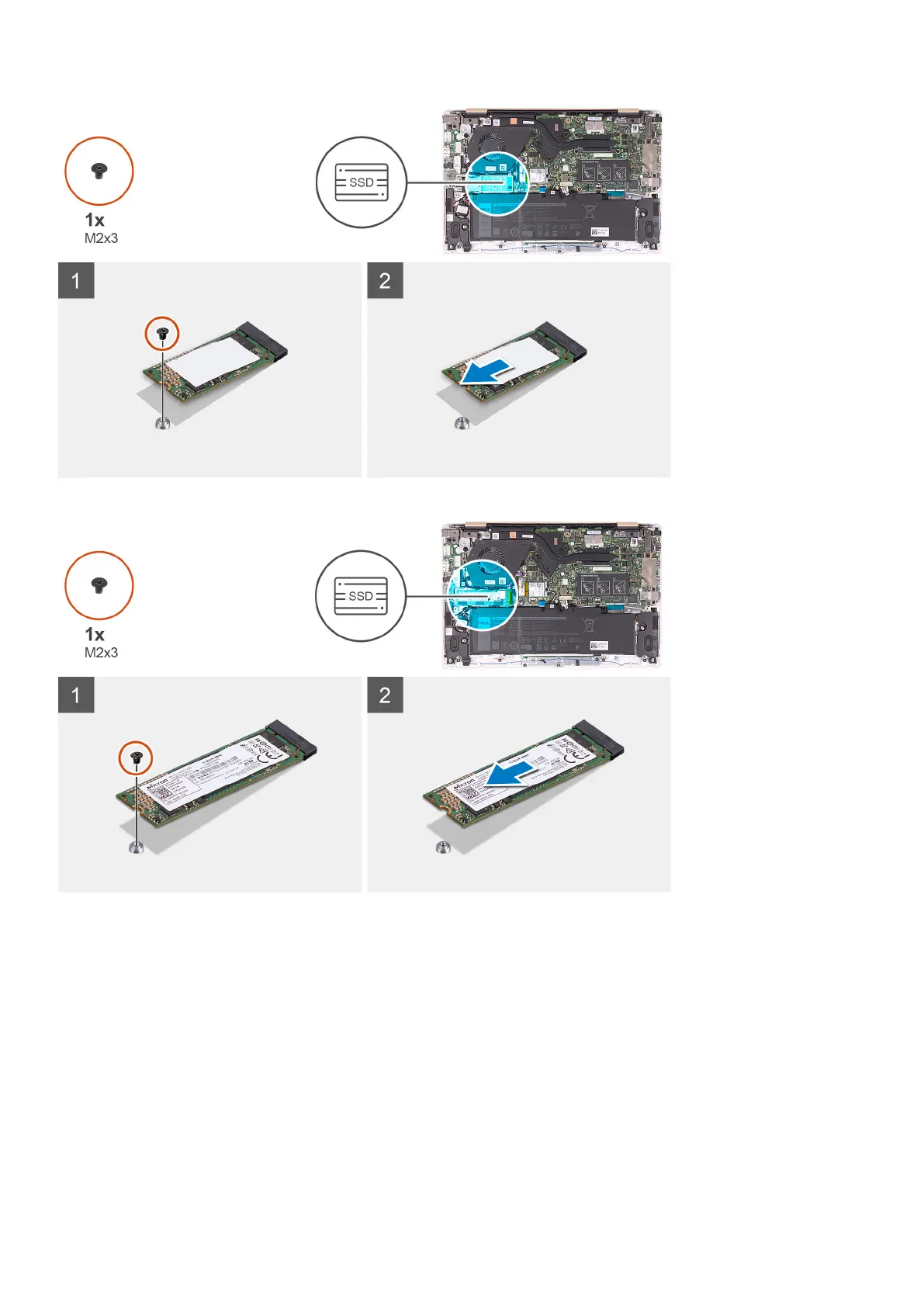
M.2 2280 solid-state drive
Steps
1. Remove the screw (M2x3) that secures the solid-state drive to the system board.
2. Slide and remove the solid-state drive from the solid-state drive slot on the system board.
Moving the solid-state drive screw mount
Prerequisites
1. Follow the procedure in Before working inside your computer.
2. Remove the base cover.
3. Remove the battery.
4. Remove the solid-state drive.
20
Removing and installing components



 To Next Page