Memory module
Removing the memory module
Prerequisites
NOTE: The primary memory module is integrated into the system board. This procedure is for removing the secondary
memory module.
1. Follow the procedure in Before working inside your computer.
2. Remove the base cover.
3. Remove the battery.
About this task
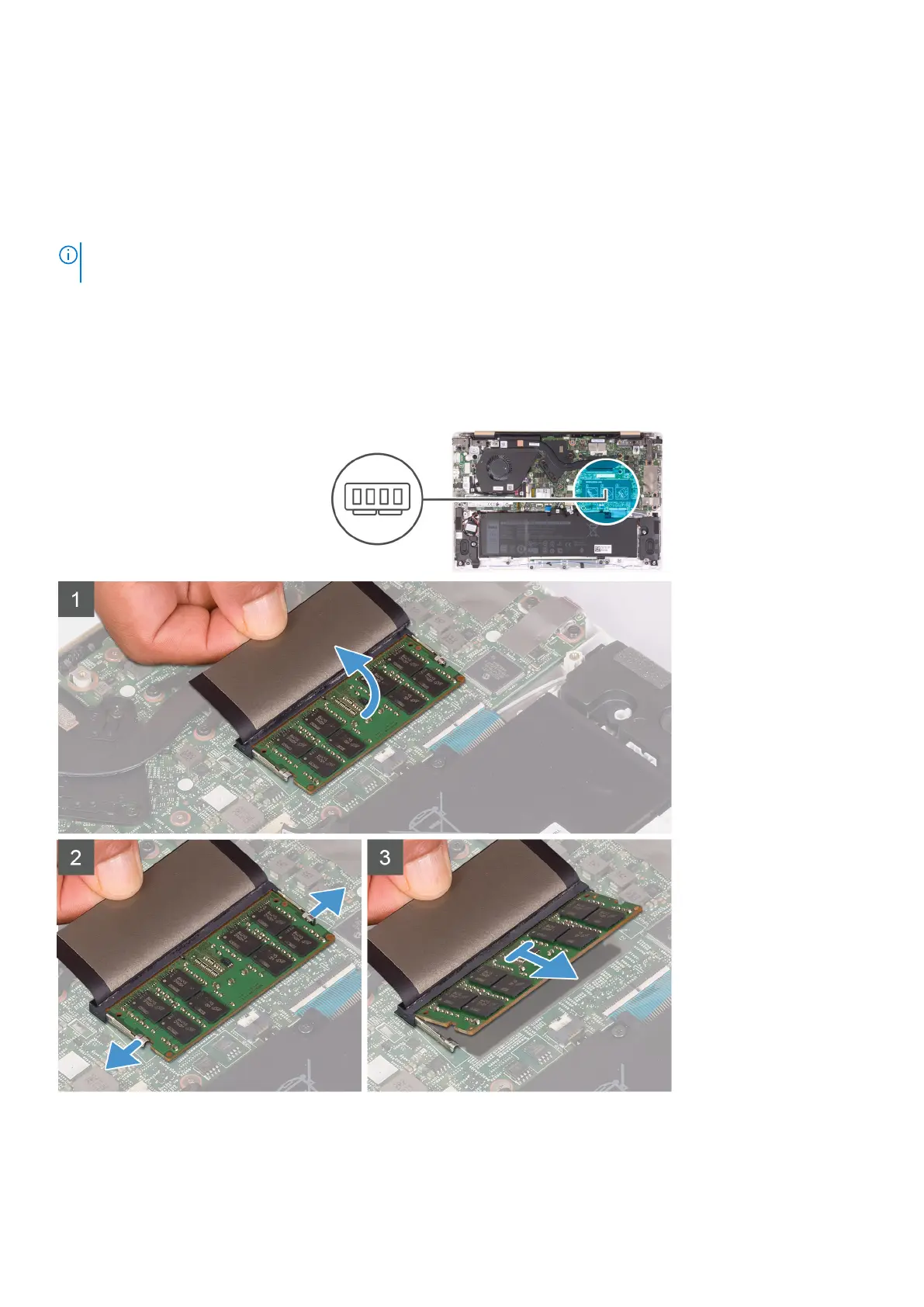
The following image indicates the location of the memory module and provides a visual representation of the removal procedure.
Steps
1. Lift the Mylar to reveal the memory module.
Removing and installing components
17



 To Next Page