Steps
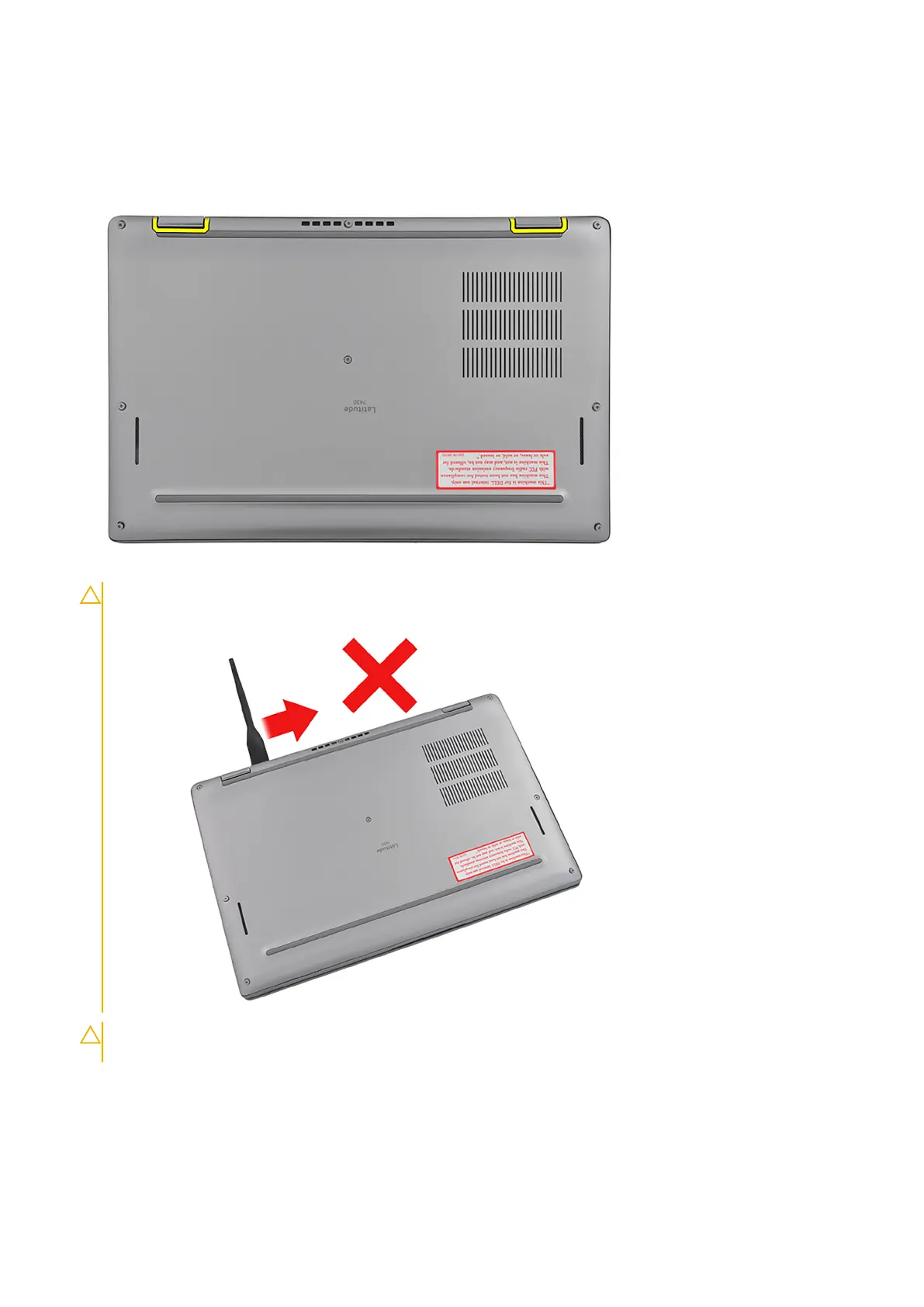
1. Loosen the eight captive screws that secure the base cover to the palm-rest and keyboard assembly.
2. Using a plastic scribe, pry open the base cover starting from the recesses, which are located in the U-shaped indents at the
top edge of the base cover, near the hinges.
CAUTION: Do not slide the scribe through the edge of the top side of the base cover as it damages the
latches inside the base cover.
CAUTION: Do not pry upwards from the edge near the vents, at the top side of the base cover, as it damages
the base cover.
16 Removing and installing components



 To Next Page