14. Touchpad FFC connector
15. USH daughter-board FFC connector
16. LED daughter-board FFC connector
17. Coin-cell battery cable connector
NOTE: For computers shipped without a WWAN card, a 4G/5G WWAN shielding cover and WWAN bracket (for 4G WWAN
card) is pre-installed to the computer. As a result, follow the steps in the WWAN card removal/installation section to
remove the WWAN shielding cover and WWAN bracket before removing the system board.
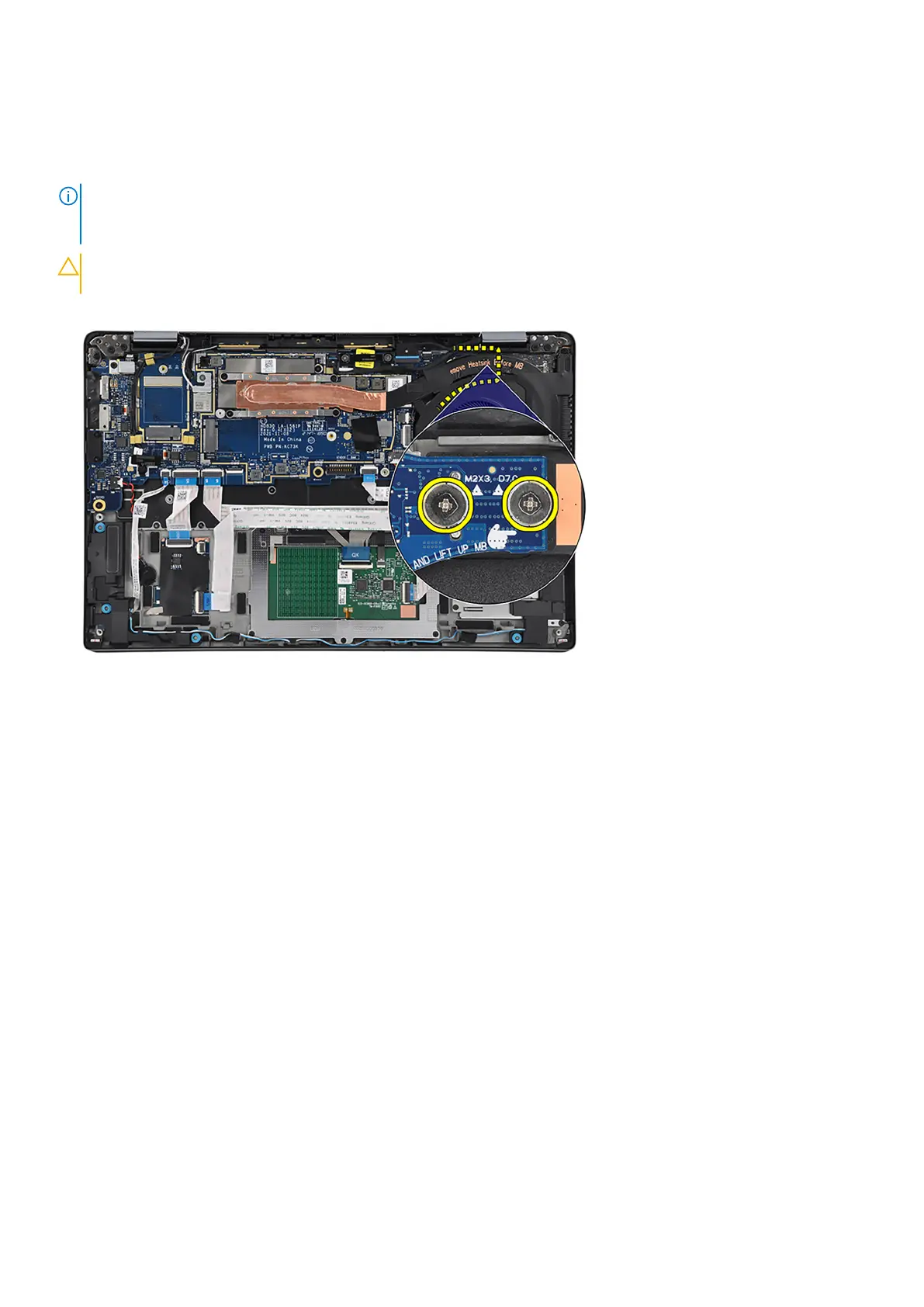
CAUTION: Remove the thermal module before removing the system board as there are two screws (M2x3)
underneath the thermal module that secure the system board to the computer.
The following images indicate the location of the system board and provide a visual representation of the removal procedure.
72
Removing and installing components



 To Next Page