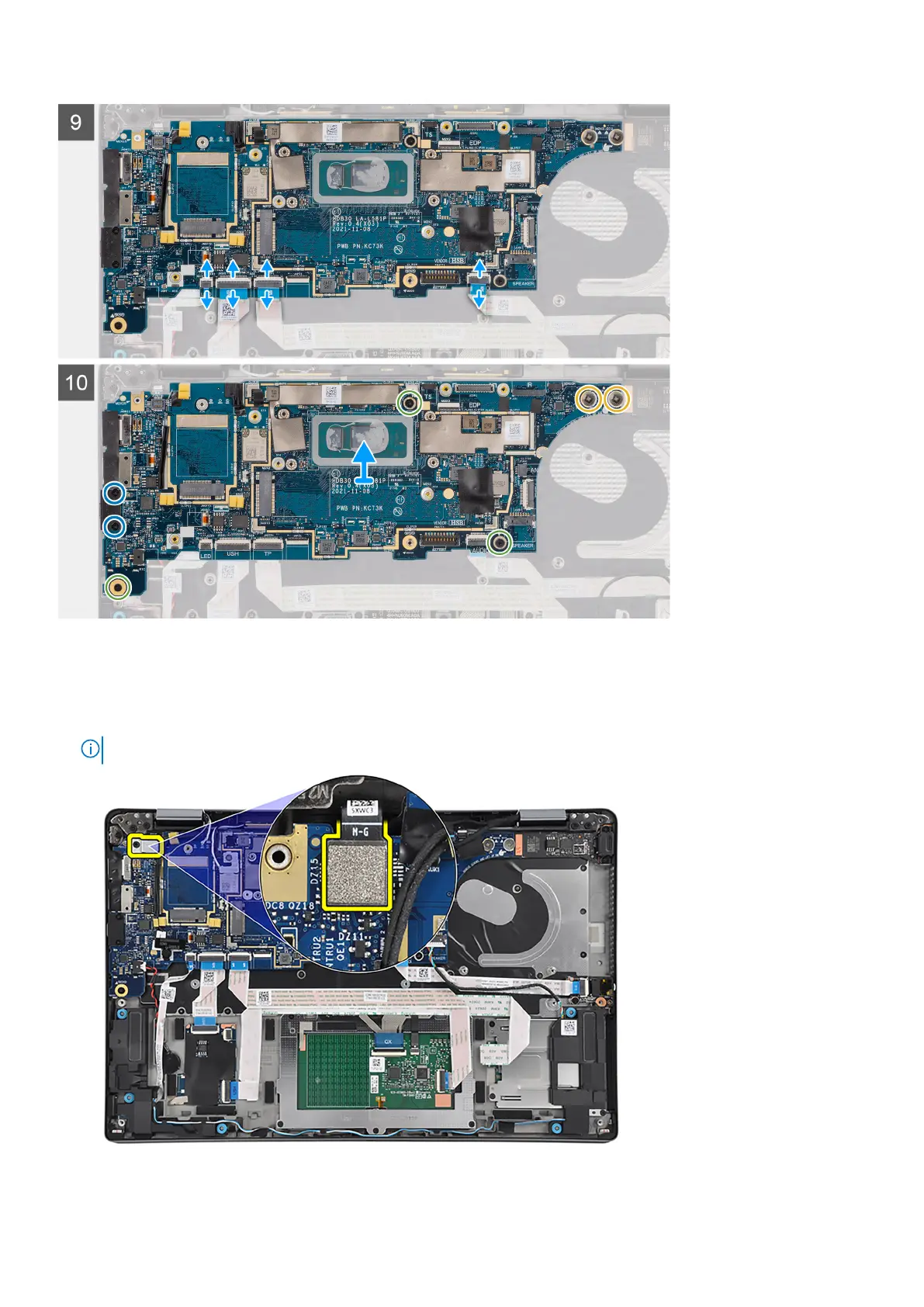
Steps
1. Remove the screw (M2x2.5) that secures the fingerprint reader bracket in place to the system board.
2. Remove the fingerprint reader bracket from the system board.
3. Disconnect the fingerprint reader flexible printed circuits from the connectors on the system board.
NOTE: The steps from 1 to 3 apply only to computers shipped with a power button with fingerprint reader installed.
4. For computers shipped with 4G antennas, remove the screw (M2x2.5) that secures the Darwin bracket to the system board.
74
Removing and installing components



 To Next Page