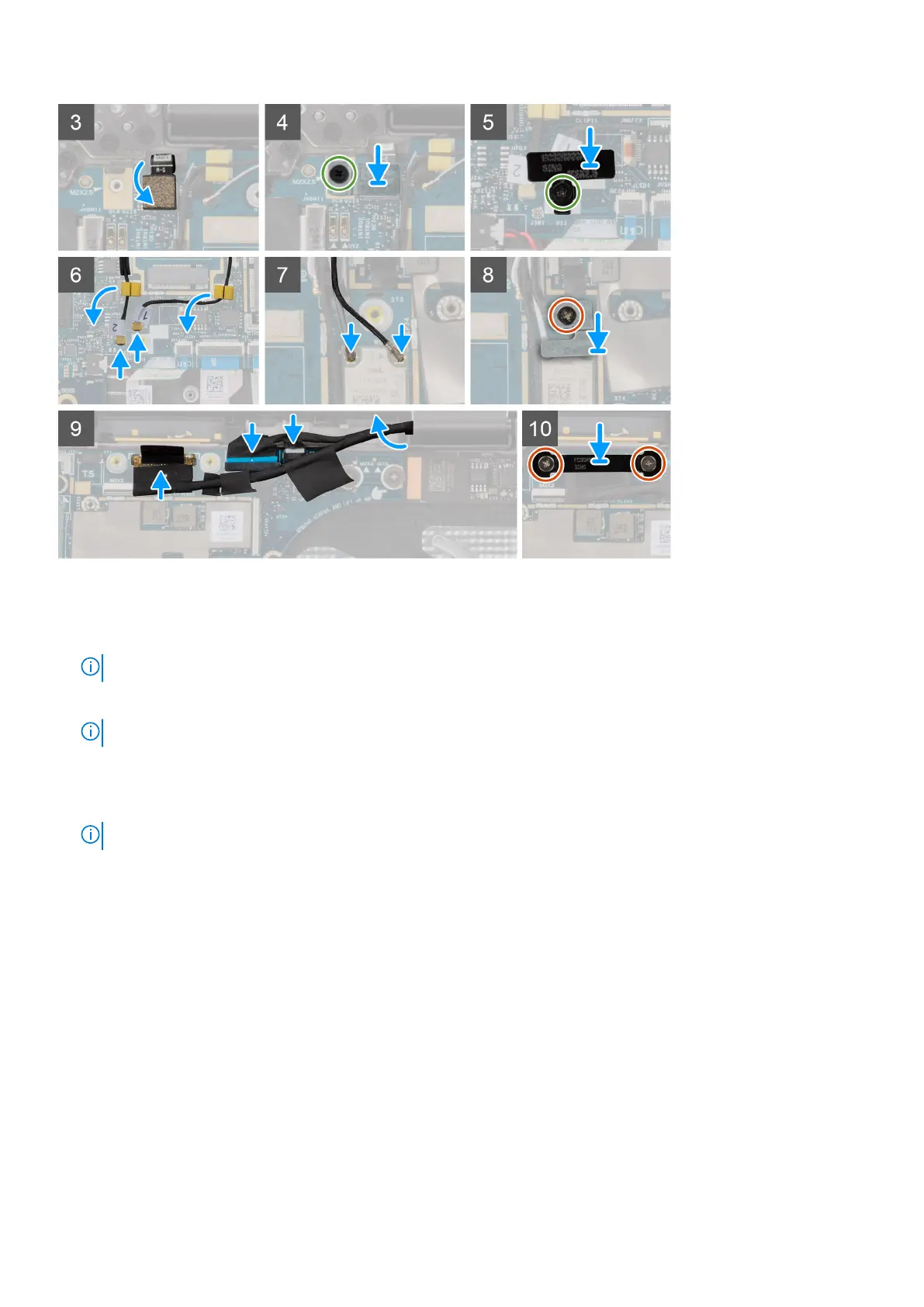
Steps
1. Place the system board, along with the coin-cell battery, into the respective slots on the palm-rest and keyboard assembly.
2. For computers shipped with 5G antennas, adhere the 5G WWAN-card thermal pad sticker to the system board.
NOTE: The 5G WWAN-card thermal pad sticker must be transferred to the new replacement system board.
3. Align and place the shielding cover to the bottom of the system board.
NOTE: This step applies only to computers shipped with a WLAN-antenna module installed on the palm-rest.
4. Align the screw holes on the system board with the screw holes on the palm-rest and keyboard assembly.
5. Replace the four screws (M2x2.5), the two screws (M2x4) and the two screws (M2x3) to secure the system board to the
palm-rest and keyboard assembly.
NOTE: This step applies only to computers shipped with a power button without fingerprint reader installed.
80 Removing and installing components



 To Next Page