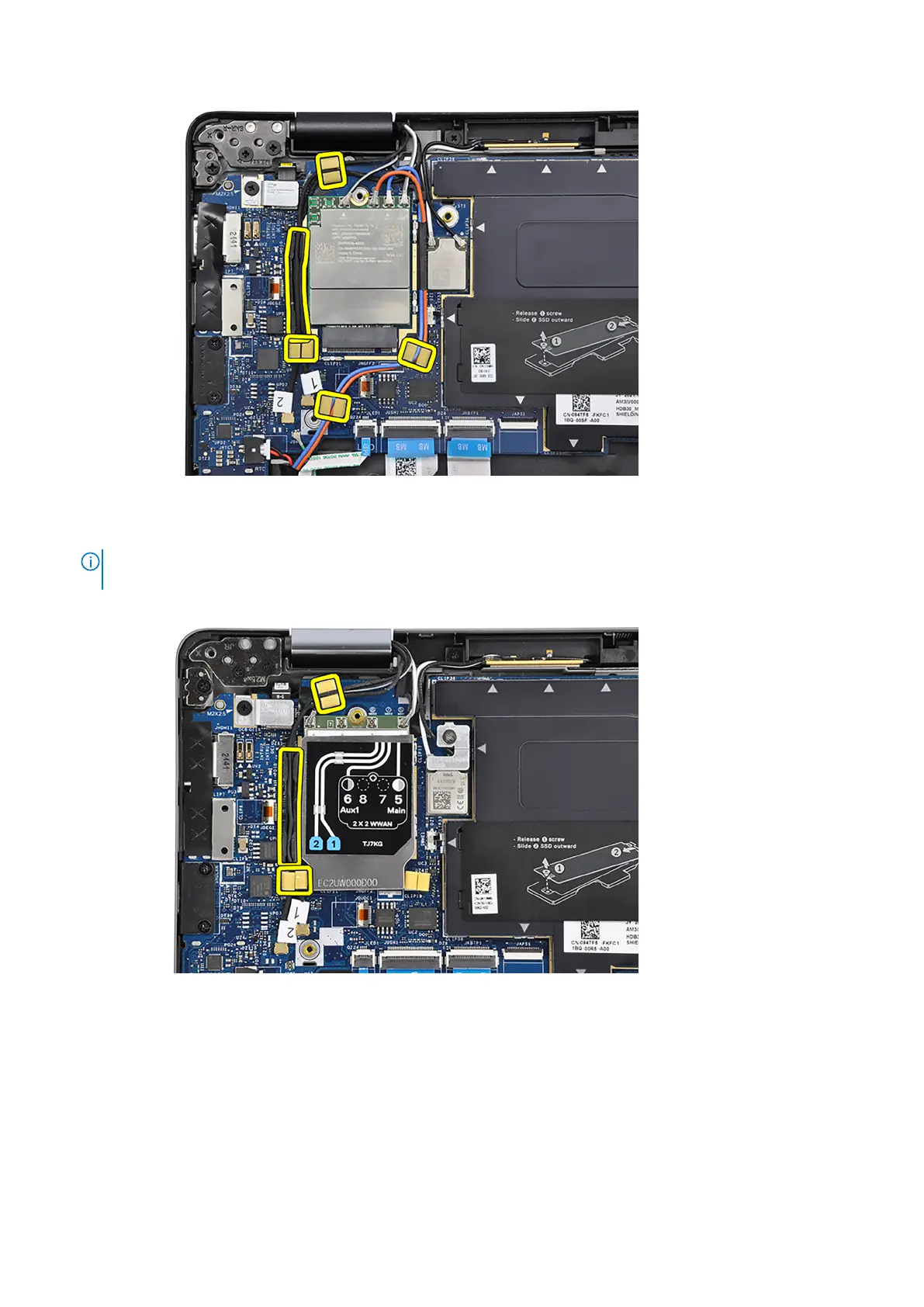
15. For computers shipped with 4G antennas, route the #1 Darwin antenna cable, #2 Darwin antenna cable, #6 black/gray
WWAN Aux1 antenna cable and #5 white/gray WWAN Main antenna cable through the respective routing guides on the
palm-rest and keyboard assembly.
NOTE:
When routing the WWAN-antenna cables, secure the Darwin cables and black/gray WWAN-antenna cable (for
4G WWAN configuration) in place with the sponges.
16. Connect the #1 Darwin antenna cable and #2 Darwin antenna cable to the respective connectors on the system board.
Removing and installing components
83



 To Next Page