2. Remove the microSIM-card tray.
3. Remove the base cover.
4. Remove the M.2 2230 solid-state drive or the M.2 2280 solid-state drive, whichever applicable.
5. Remove the 4G WWAN card or the 5G WWAN card, whichever applicable.
NOTE: This procedure applies only to computers shipped with a WWAN card installed.
6. Remove the 3-cell battery or the 4-cell battery, whichever applicable.
7. Remove the audio daughter-board.
8. Remove the speakers.
9. Remove the thermal module.
10. Remove the system board.
11. Remove the I/O daughter-board.
About this task
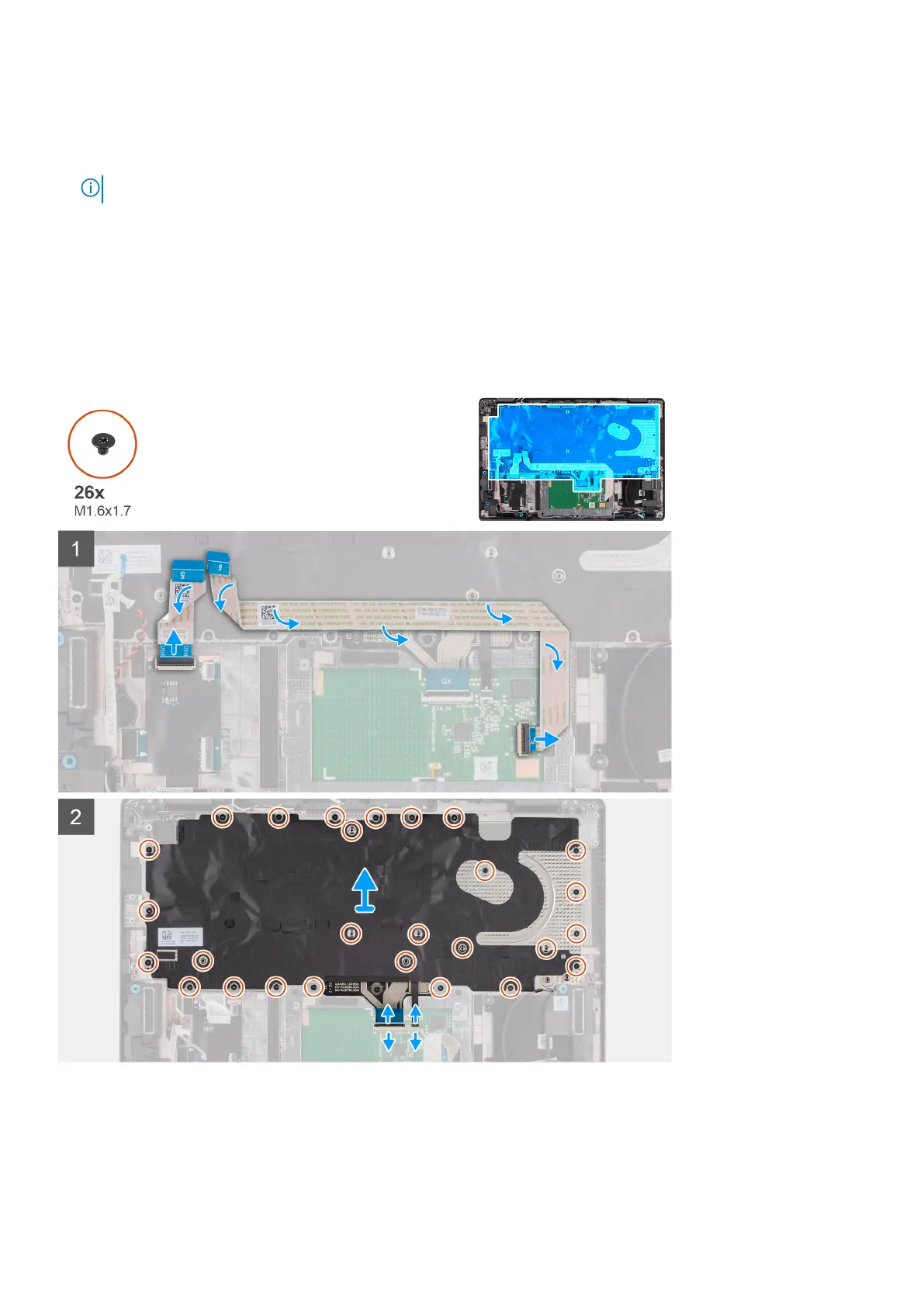
The following images indicate the location of the keyboard and provide a visual representation of the removal procedure.
Removing and installing components 91



 To Next Page