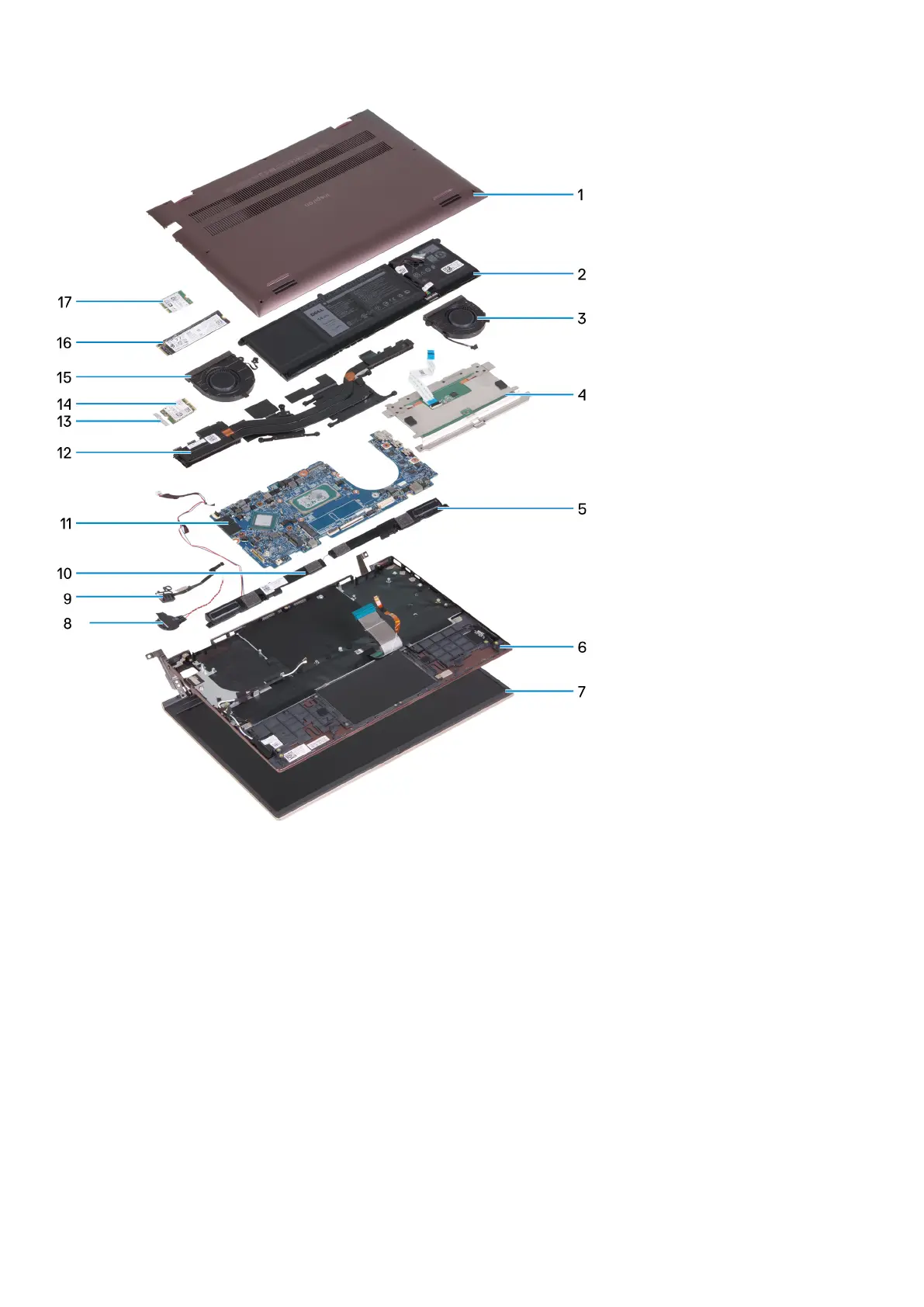
1. Base cover
2. Battery
3. Right fan
4. Touchpad
5. Right speaker
6. Palm-rest and keyboard assembly
7. Display assembly
8. Coin-cell battery
9. Power-button with optional fingerprint reader
10. Left speaker
11. System board
12. Heat sink
13. Wireless-card bracket
14. Wireless card
15. Left fan
16. M.2 2280 solid-state drive, if installed
17. M.2 2230 solid-state drive, if installed
12
Removing and installing components



 To Next Page