EasyManua.ls Logo

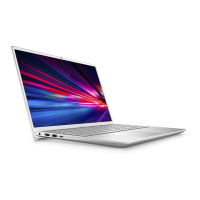
Dell P152G002 - User Manual

Dell P152G002
158 pages
Print Icon
To Next Page IconTo Next Page
Loading...
Vostro 14 3435
Owner's Manual
Regulatory Model: P152G
Regulatory Type: P152G002
March 2023
Rev. A01

Table of Contents

Other manuals for Dell P152G002

Questions and Answers

  • L
    Leslie DoyleSep 8, 2025
    What to do if my Dell Laptop says no memory/RAM detected (error code [2,3])?
    • W
      William LynchSep 8, 2025
      If your Dell Laptop is not detecting memory/RAM, first ensure that the memory module is properly installed. If the problem continues, replace the memory module.
  • M
    Michelle SolomonSep 7, 2025
    How do I fix a PCI or Video card/chip failure in my Dell Laptop?
    • L
      Laura RiveraSep 7, 2025
      To resolve a PCI or Video card/chip failure in your Dell Laptop, replace the system board.
  • J
    Jennifer BoydAug 22, 2025
    How to fix a Dell Laptop when no memory/RAM is detected?
    • C
      Carol FryeAug 22, 2025
      If your Dell Laptop isn't detecting memory/RAM, first, ensure that the memory module is correctly installed. If the problem persists, try replacing the memory module.
  • J
    Jimmy YoderSep 4, 2025
    What to do for Power rail failure on a Dell P152G002 Laptop?
    • N
      nalexanderSep 4, 2025
      If your Dell Laptop is experiencing a power rail failure, replace the system board.
  • C
    Crystal ByrdSep 3, 2025
    How to fix LCD failure (SBIOS message) on a Dell P152G002 Laptop?
    • A
      Andrew BruceSep 3, 2025
      To fix an LCD failure indicated by an SBIOS message on your Dell Laptop, replace the LCD module.
  • F
    ffordSep 1, 2025
    What to do if Flash corruption detected by SBIOS on Dell P152G002 Laptop?
    • E
      Erin TranSep 2, 2025
      If flash corruption is detected by SBIOS on your Dell Laptop, try pressing the power button for over 25 seconds to perform an RTC reset. Alternatively, disconnect all power sources (AC, battery, coin cell) and drain flea power by pressing and holding down the power button for 3~5 seconds to ensure all power is drained. If the issue persists, replace the system board.
  • K
    Kristin GregoryAug 31, 2025
    What to do if my Dell P152G002 says the BIOS Recovery image was found but is invalid?
    • K
      Kayla PalmerAug 31, 2025
      If your Dell Laptop indicates that the BIOS Recovery image was found but is invalid, attempt to flash the latest BIOS version. If the issue remains, replace the system board.
  • M
    Margaret MaysAug 30, 2025
    What to do if the BIOS Recovery image is not found on my Dell P152G002?
    • P
      Patricia SummersAug 30, 2025
      If the BIOS Recovery image is not found on your Dell Laptop, try flashing the latest BIOS version. If that doesn't work, replace the system board.
  • W
    William RichardsAug 29, 2025
    What to do if my Dell P152G002 Laptop says invalid memory is installed?
    • B
      Brandon OliverAug 29, 2025
      If your Dell Laptop indicates that invalid memory is installed, attempt to reset and swap the memory modules between the slots. If the problem continues, replace the memory module.
  • B
    brownmichelleAug 27, 2025
    What to do if my Dell P152G002 battery is swollen?
    • J
      Julie BrownAug 27, 2025
      If you notice that your Dell Laptop battery is swollen, immediately discontinue using the laptop. Discharge it by disconnecting the AC adapter and allowing the battery to drain. Replace the swollen battery and make sure you dispose of it properly. You can also contact Dell product support to explore options for replacing the swollen battery under your warranty or service contract.

Dell P152G002 Specifications

General IconGeneral
ModelP152G002
CategoryLaptop
Operating SystemWindows 10 Pro
Display15.6-inch, 1920x1080
Battery4-cell lithium-ion

Related product manuals