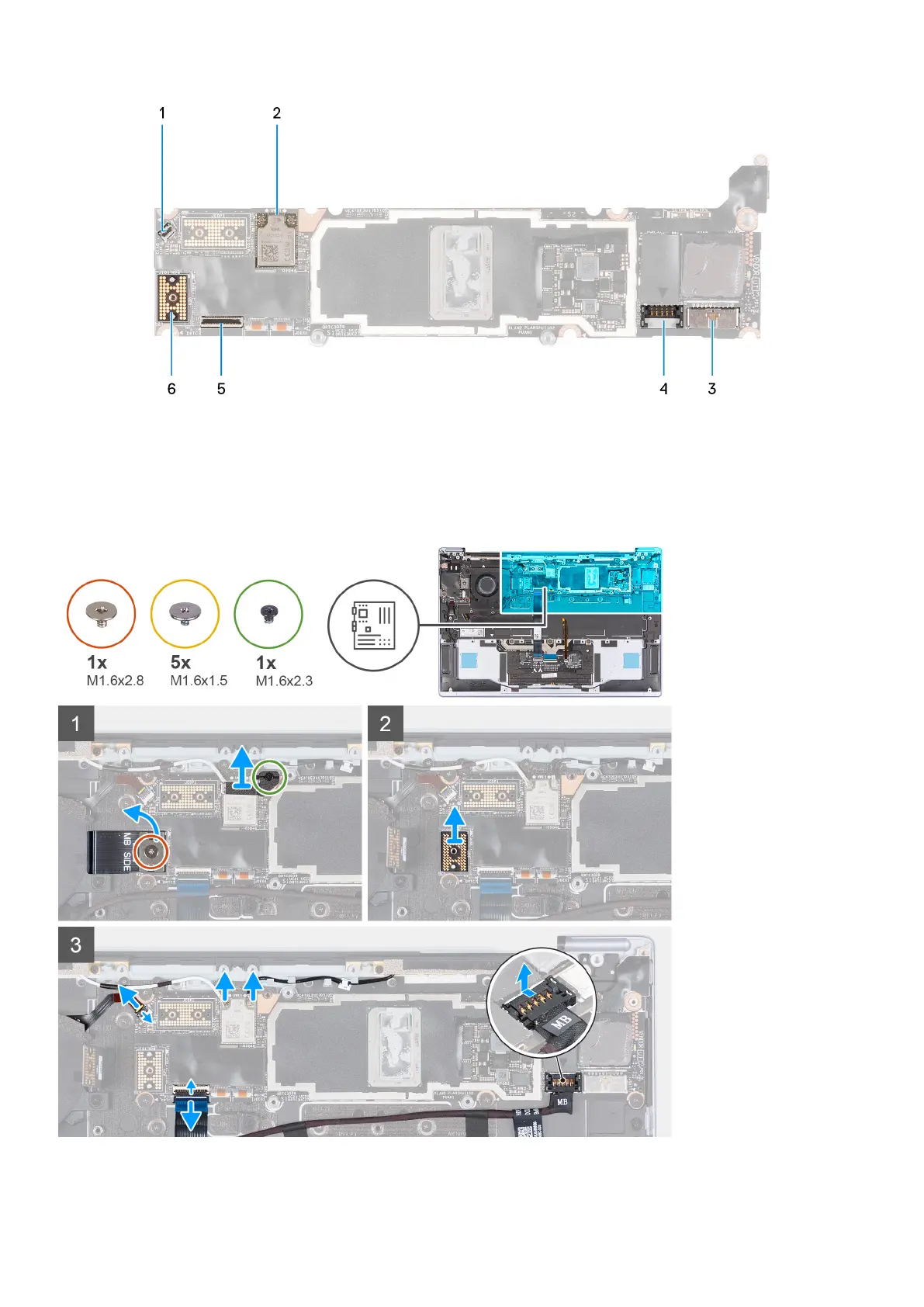
Figure 1. System-board connectors
1. Fan cable connector 2. Wireless card
3. Battery cable connector 4. I/O daughter-board power cable connector
5. Touch-panel cable connector 6. Camera-assembly cable connector
The following image(s) indicate the location of the system board and provides a visual representation of the removal procedure.
32
Removing and installing components



 To Next Page