M.2 solid state drive
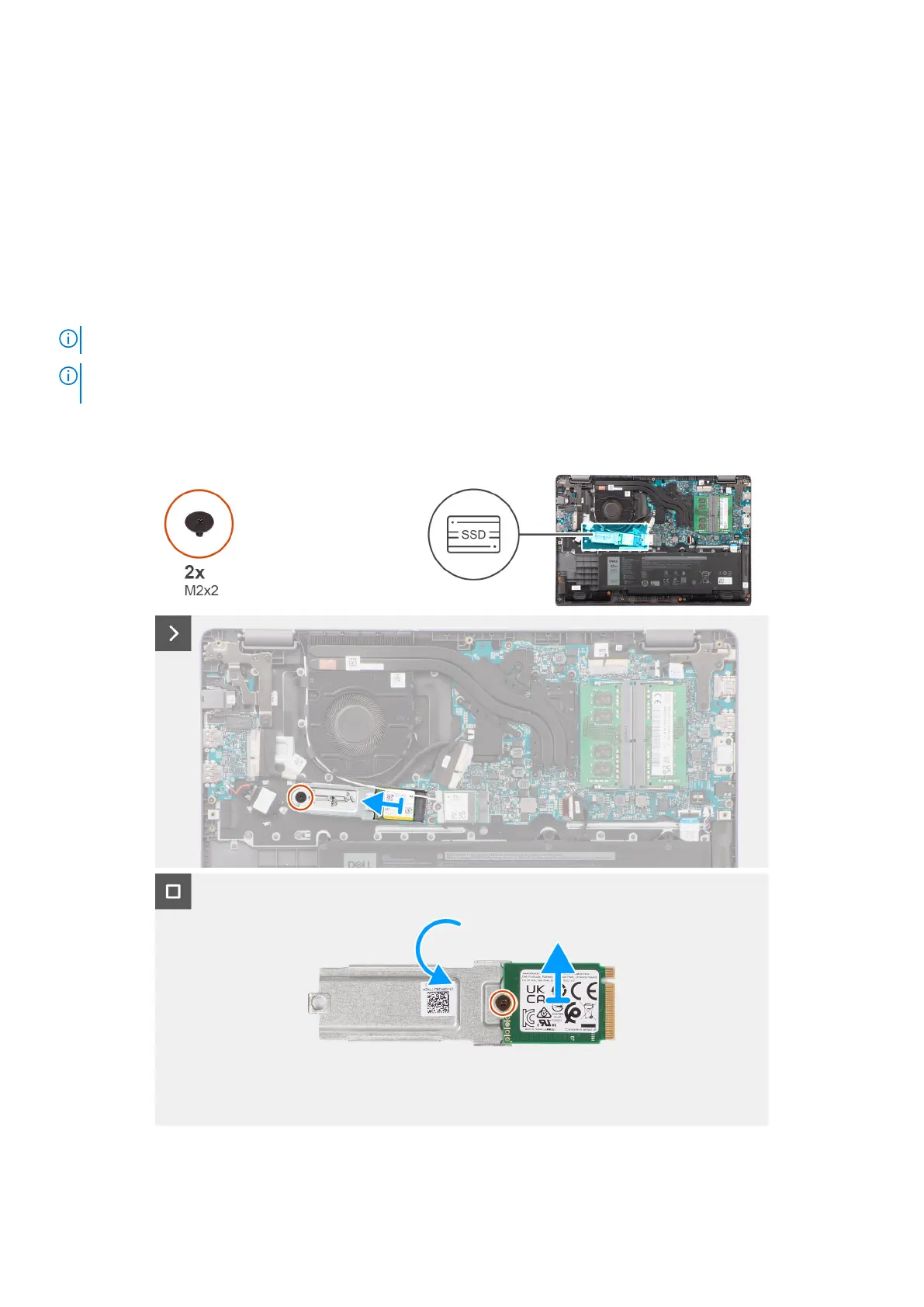
Removing the M.2 2230 solid-state drive
Prerequisites
1. Follow the procedure in Before working inside your computer.
2. Remove the base cover.
About this task
NOTE: This procedure applies only to systems shipped with a M.2 2230 solid-state drive installed.
NOTE: The M.2 solid-state drive that is installed on your system depends on the configuration ordered. Supported card
configurations on the M.2 solid-state drive slot is M.2 2230 solid-state drive.
The following images indicate the location of the M.2 2230 solid-state drive and provide a visual representation of the removal
procedure.
Figure 22. Removing the M.2 2230 solid-state drive
Removing and installing Customer Replaceable Units (CRUs)
51



 To Next Page