About this task
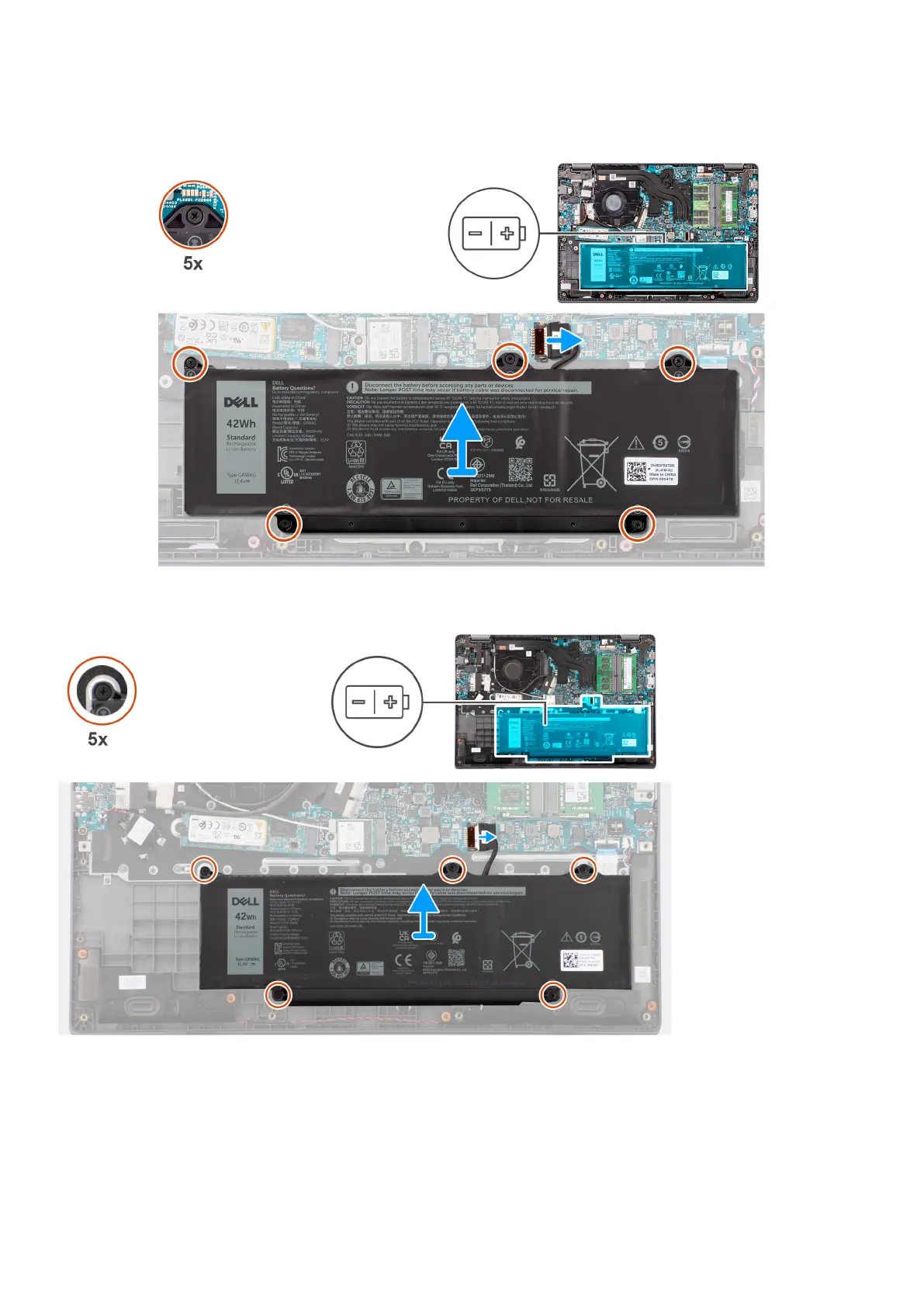
The following images indicate the location of the battery and provide a visual representation of the removal procedure.
Figure 24. Removing the battery
Steps
1. Use the pull tab to disconnect the battery cable from the connector on the system board.
2. Loosen the five captive screws that secure the battery to the palm-rest and keyboard assembly.
3. Lift the battery off the palm-rest and keyboard assembly.
54
Removing and installing Field Replaceable Units (FRUs)



 To Next Page