Setting Up the Monitor | 19
Setting Up the Monitor
Attaching the Stand
NOTE: The stand is detached from monitor when it is shipped from the factory.
NOTE: The procedure below is applicable for the default stand. If you purchased
any other stand, see the documentation shipped with the stand to set it up.
CAUTION: Do not remove the monitor from the packaging box before attaching
the stand.
Attach the stand assembly to the monitor.
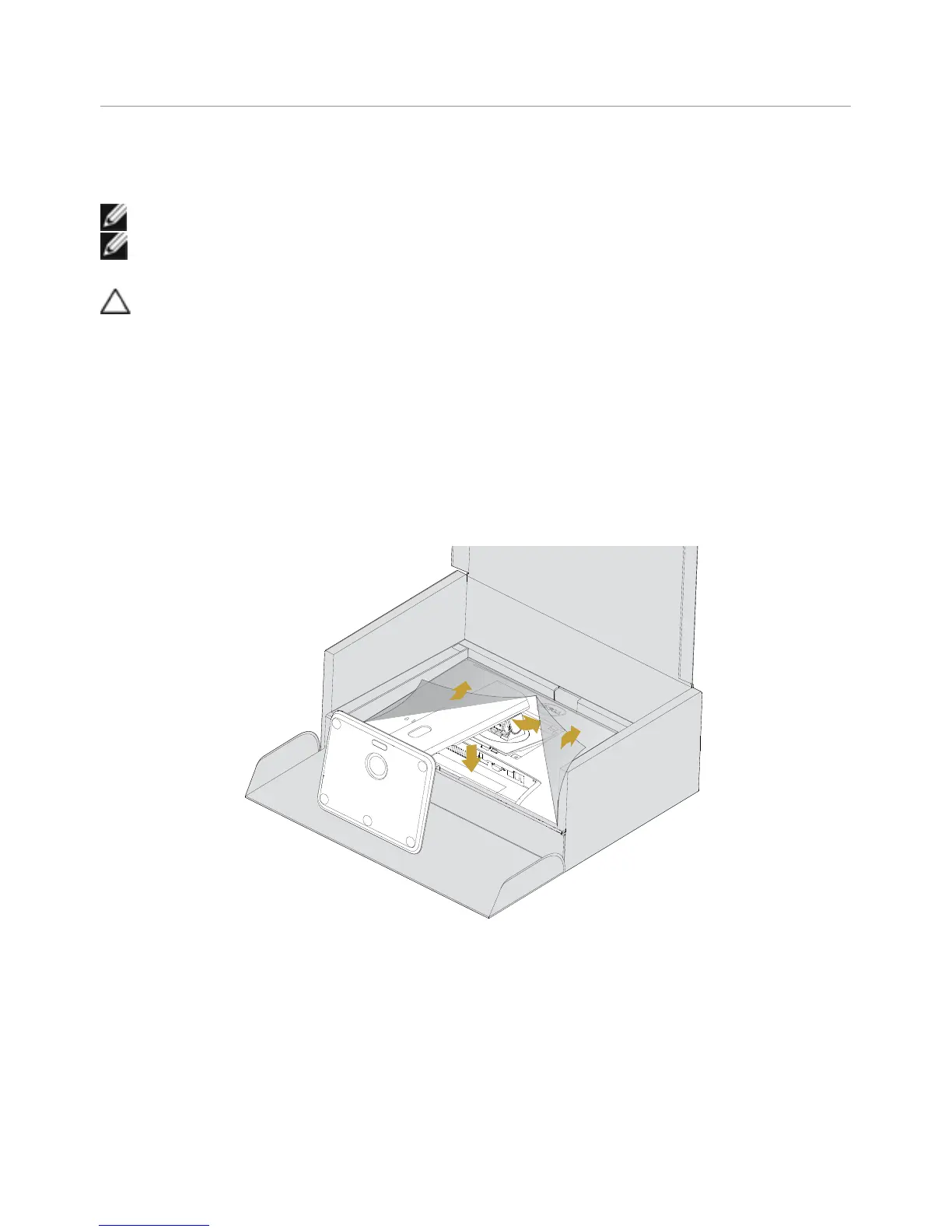
1 Follow the instructions on the flaps of carton to remove the stand from the top
cushion that secures it.
2 Lift the cover, as shown, to expose the VESA area for stand assembly.
3 Insert the two tabs on the upper part of the stand in the slots on the back of
the monitor.
4 Press the stand down till it snaps into its place.
3
4



 To Next Page