About Your Monitor | 9
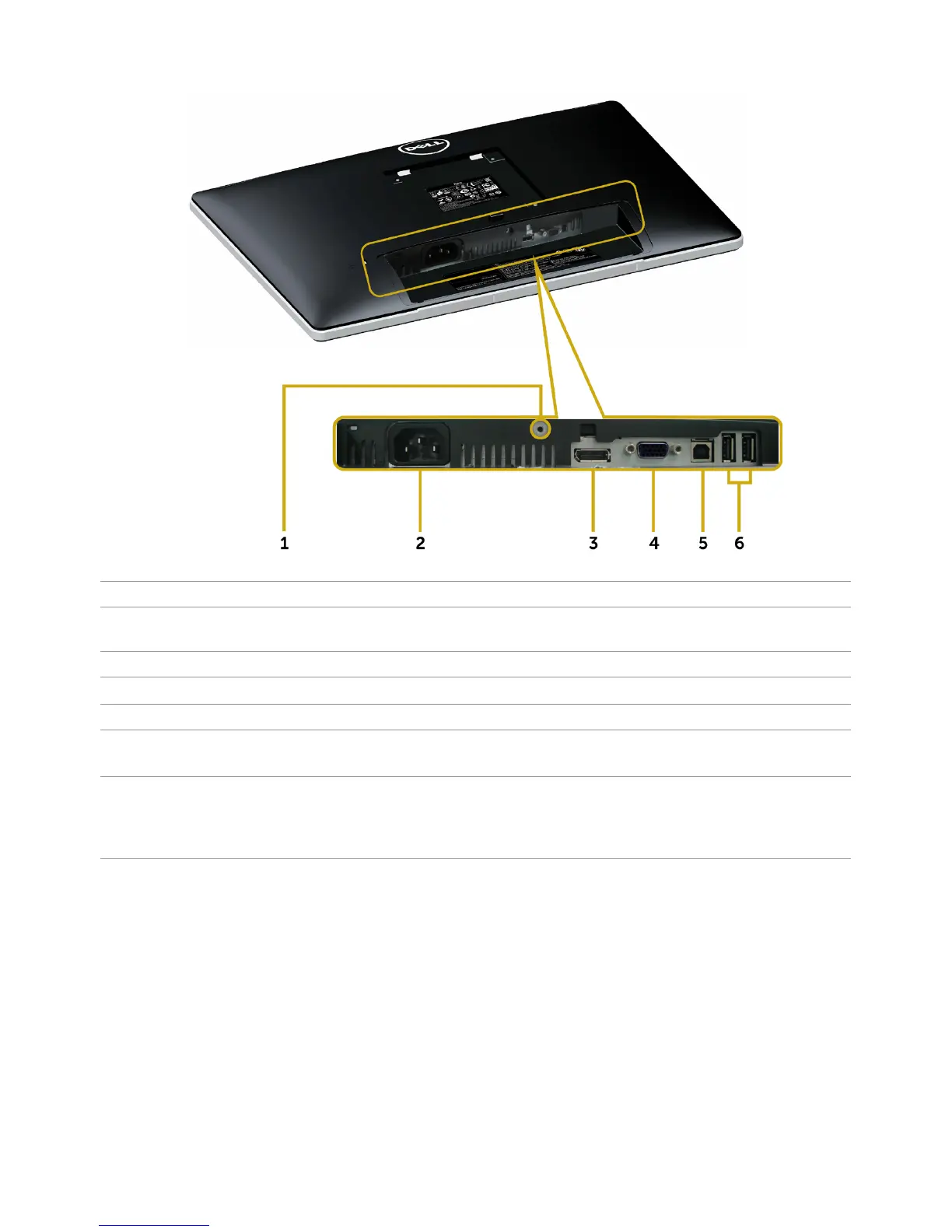
Bottom View
Label Description Use
1 Stand lock Lock the stand to the monitor using a M3 x 6 mm
screw (screw not included).
2 AC power connector To connect the monitor power cable.
3 DP connector Connect your computer with DP cable.
4 VGA port Connect your computer with VGA cable (optional).
5 USB upstream port Connect the USB cable to your computer and the
monitor to enable the USB ports on the monitor.
6 USB downstream ports (2) Connect USB devices.
NOTE: You must connect the USB upstream cable
to the monitor and your computer to be able to use
these ports.



 To Next Page