Setting Up the Monitor | 21
Connecting Your Monitor
WARNING: Before you begin any of the procedures in this section, follow the
Safety Instructions.
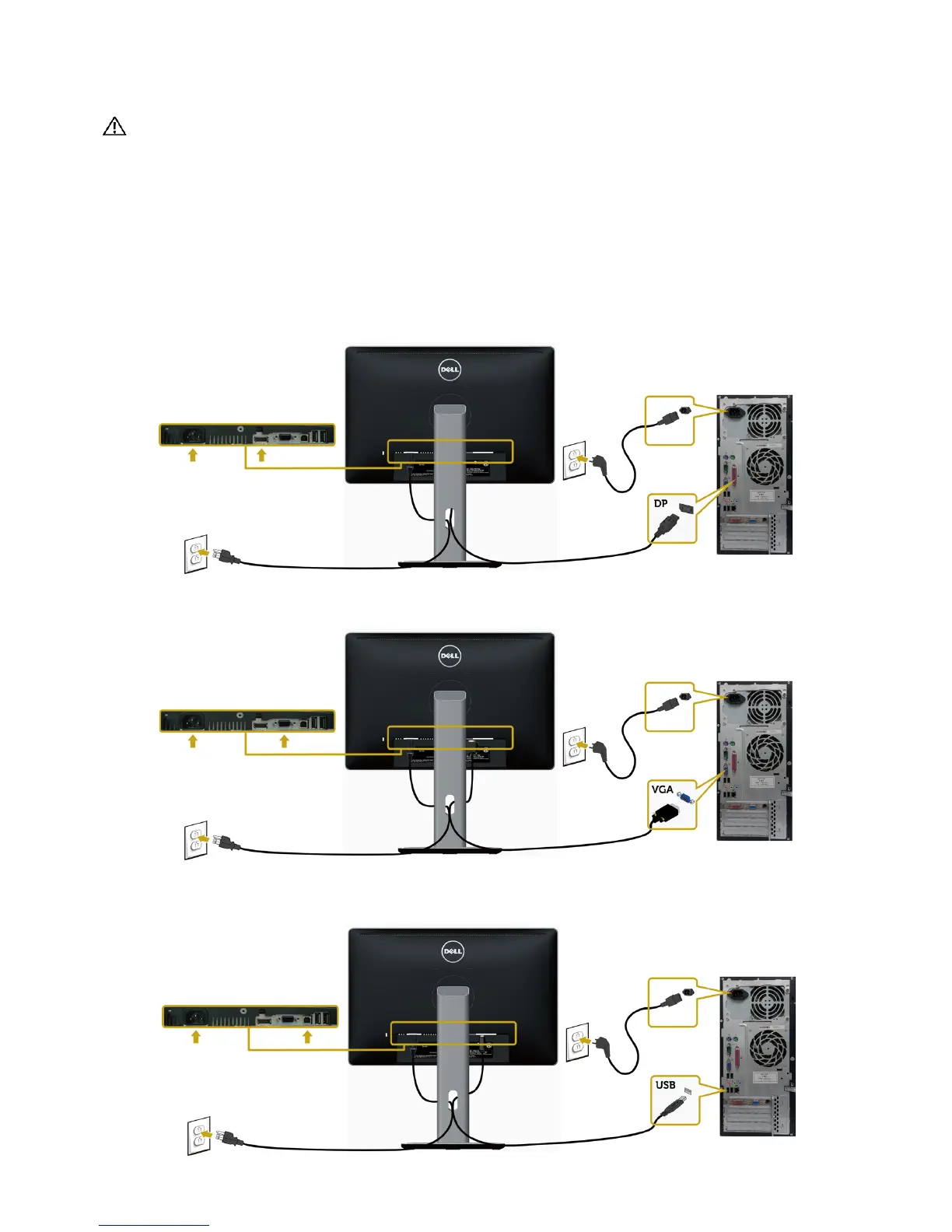
To connect your monitor to the computer:
1 Turn o your computer.
2 Connect the DisplayPort/VGA/USB cable from your monitor to
thecomputer.
3 Switch on your monitor.
Connecting the DisplayPort cable
Connecting the VGA cable (optional)
Connecting the USB cable



 To Next Page