About Your Monitor:Dell P2211H/P2311H Flat Panel Monitor User's Guide
file:///S|/SSA_Proposal/P2211_P2311/about.htm[7/13/2011 12:17:52 PM]
Storage: 5% to 90% (non-condensing) Storage: 5% to 90% (non-condensing)
Non-operating
Shipping: 5% to 90% (non-condensing) Shipping: 5% to 90% (non-condensing)
Altitude
Operating 4,850 m (15,902 ft) max 4,850 m (15,902 ft) max
Non-operating 12,192 m (40,000 ft) max 12,192 m (40,000 ft) max
163.89 BTU/hour (maximum) 170.72 BTU/hour (maximum)
Thermal dissipation
85.36 BTU/hour (typical) 92.19 BTU/hour (typical)
Power Management Modes
If you have VESA's DPM™ compliance display card or software installed in your PC, the monitor can automatically reduce its power consumption when not in use. Th
as Power Save Mode*. If the computer detects input from keyboard, mouse, or other input devices, the monitor automatically resumes functioning. The following ta
power consumption and signaling of this automatic power saving feature:
P2211H
VESA Modes Horizontal Sync Vertical Sync Video Power Indicator Power Consumption
Normal operation Active Active Active Blue 25 W (typical)/48 W (maximum)**
Active-off mode Inactive Inactive Blanked Amber (Breathing) Less than 1.0 W
Switch off - - - Off Less than 1.0 W
P2311H
VESA Modes Horizontal Sync Vertical Sync Video Power Indicator Power Consumption
Normal operation Active Active Active Blue 27 W (typical)/50 W (maximum)**
Active-off mode Inactive Inactive Blanked Amber (Breathing) Less than 1.0 W
Switch off - - - Off Less than 1.0 W
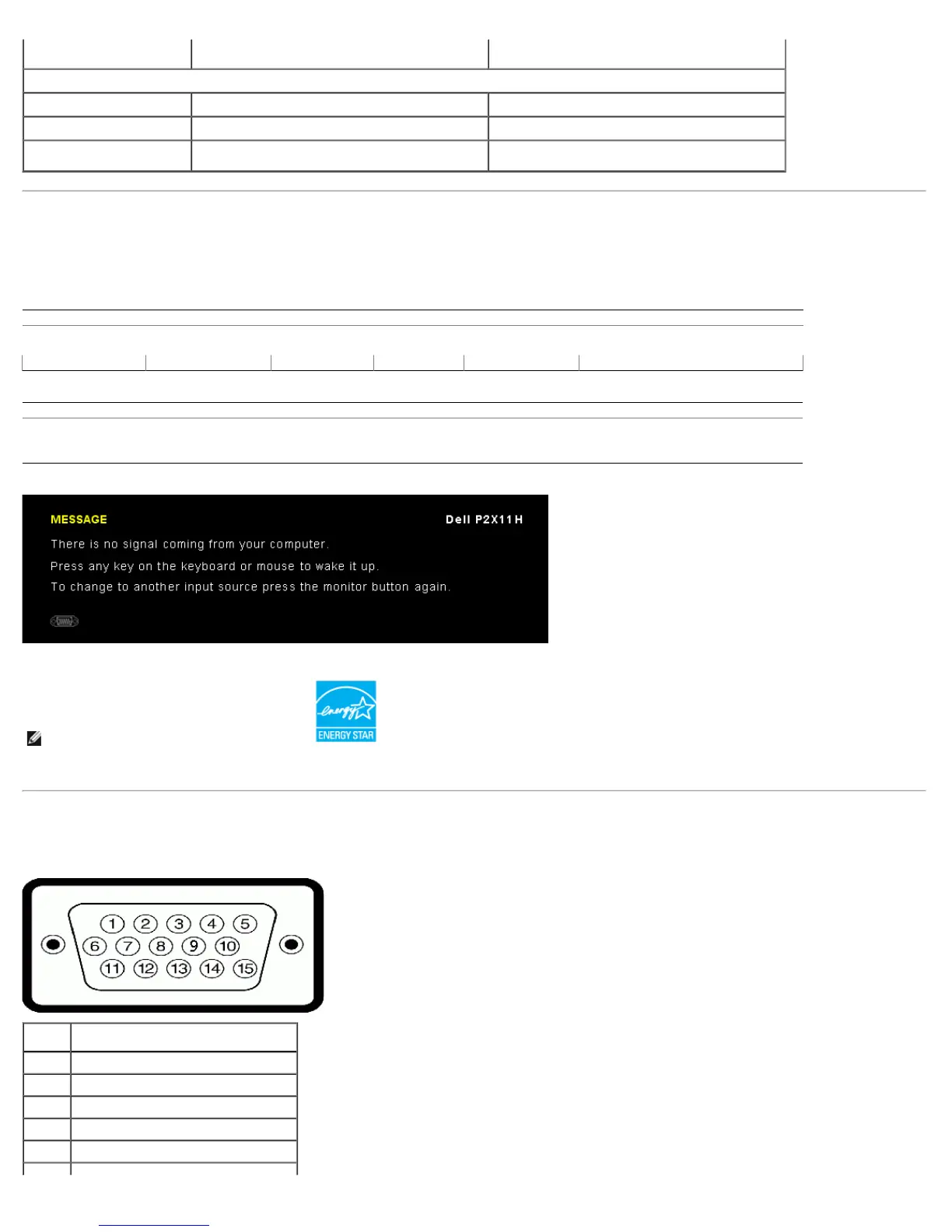
The OSD will only function in the normal operation mode. When any button is pressed in Active-off mode, one of the following messages will be displayed:
is is referred to
ble shows the
* Zero power consumption in OFF mode can only be achieved by disconnecting the main cable from the monitor.
** Maximum power consumption with max luminance, Dell Soundbar, and USB active.
Activate the computer and the monitor to gain access to the OSD.
NOTE: This monitor is ENERGY STAR
®
-compliant.
Pin Assignments
VGA Connector
Pin 15-pin Side of the Connected Signal
Number Cable
1 Video-Red
2 Video-Green
3 Video-Blue
4 GND
5 Self-test
6 GND-R



 To Next Page