Setting Up the Monitor | 31
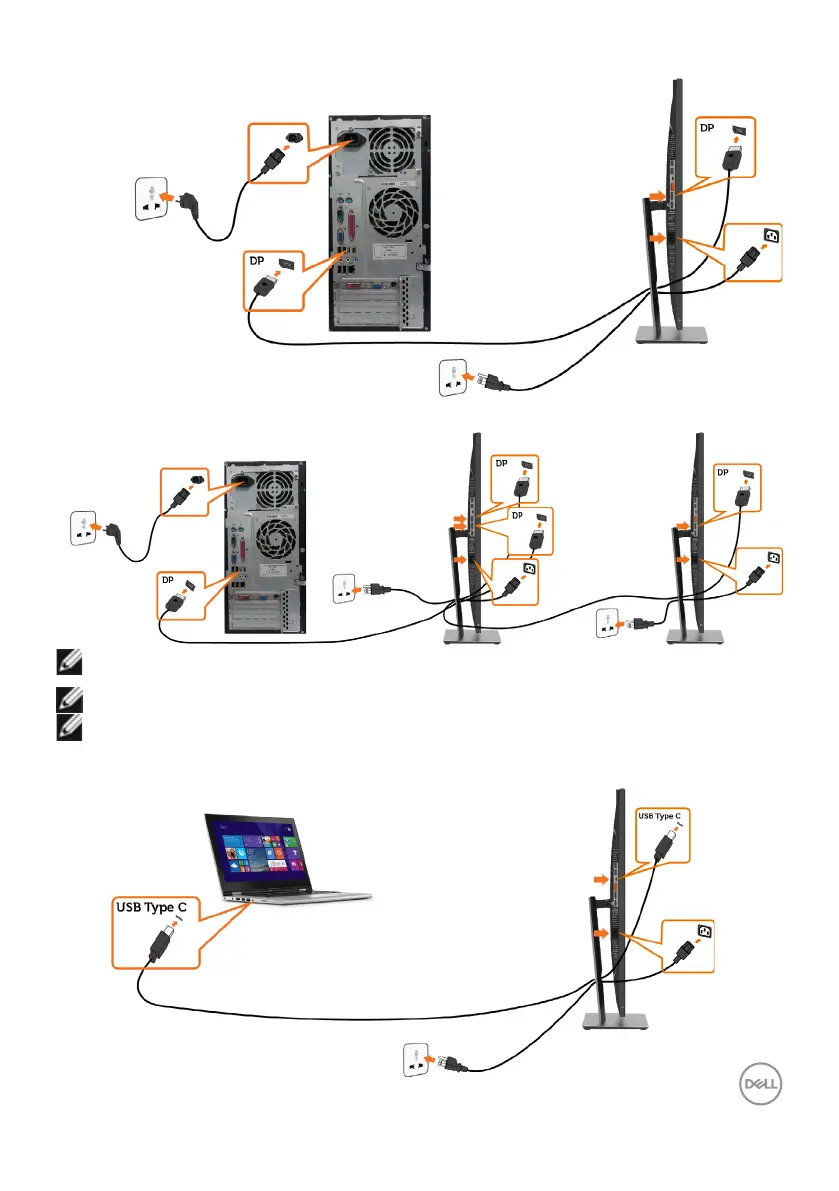
Connecting the DisplayPort cable
Connecting the monitor for DP Multi-Stream Transport (MST) function (optional)
NOTE: Supports the DP MST feature. To make use of this feature, your PC
Graphics Card must be certified to DP1.2 with MST option.
NOTE: Remove the rubber plug when using the DP out connector.
NOTE: When DP in and DP out is connected to a PC and second monitor respectively
for the first time, MST will be automatically enabled.
Connecting the USB Type-C cable


 To Next Page