40 │ Setting up the monitor
Using DPBS function
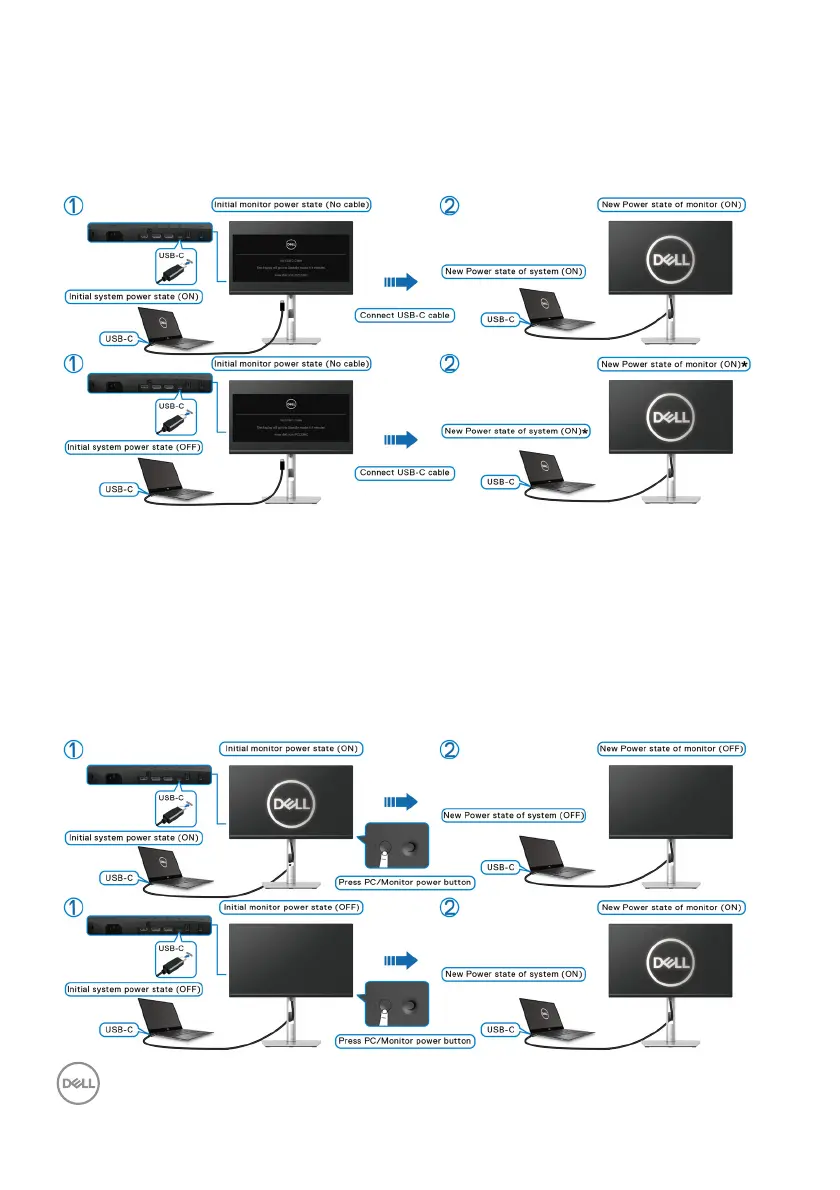
Waking on the USB-C cable
When you connect the USB-C cable, the
Monitor/PC state is as follows:
*Not all Dell PC systems support to wake
up the platform via the monitor.
*Upon USB-C cable connection, mouse
movement or keyboard press might be
required to wake the system/monitor up
from sleep or hibernate.
When you press the monitor power button or PC power button, the Monitor/PC
state is as follows:


 To Next Page